

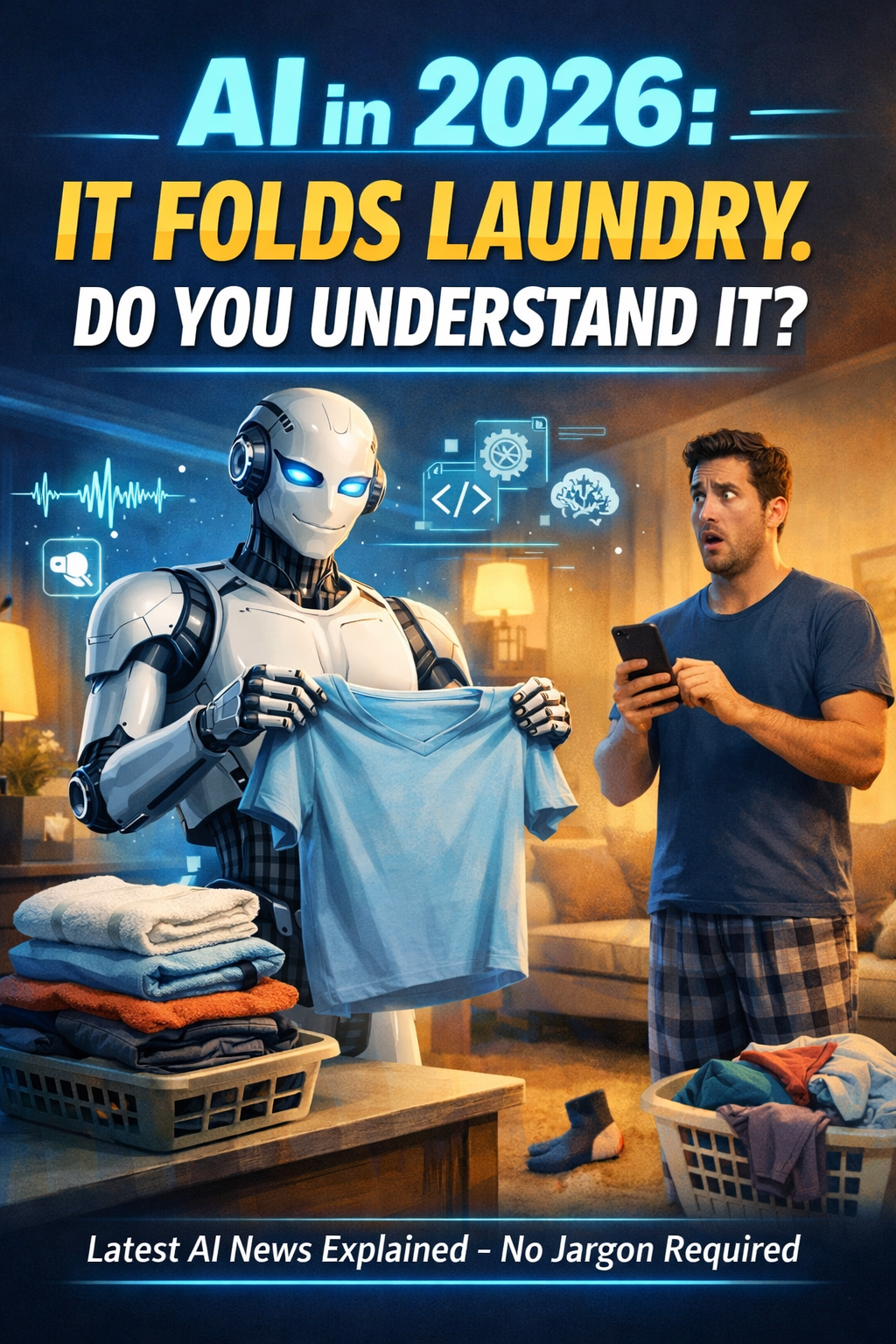
AI News Just Went Full 2026: Robots Folding Laundry, Models Fighting for the Crown, and Regulators Side-Eyeing Chatty Toys
AI in 2026 isn’t just writing emails — it’s folding laundry, talking to kids’ toys, and quietly moving off your screen and into your life.
The scary part isn’t that AI is getting smarter.
It’s that most people still don’t understand how it works… and it’s already living in their house.
Written by: Geektrepreneur
If you’re feeling like Artificial Intelligence woke up on January 1st, chugged an espresso the size of a server rack, and chose chaos… you’re not imagining it.
This week’s “latest AI news” reads like a group chat between a robot butler, a law professor, a toy designer, and three trillion-parameter language models arguing over who’s the real main character. We’ve got:
CES 2026 turning into the “AI Everywhere All At Once” conference (including laundry-folding humanoids, because apparently the robots came for our socks first). (The Verge)
A three-way heavyweight title fight in model rankings, where top systems are trading benchmark blows like it’s pay-per-view. (The Decoder)
Regulation entering its ‘serious relationship’ era, including a proposed California bill targeting AI chatbot toys for minors. (The Economic Times)
Audio and “screenless” computing getting hotter, because we’re apparently done tapping glass rectangles like caffeinated woodpeckers. (TechCrunch)
And through it all, there’s a clear vibe shift: 2026 is looking less like “wow, AI can write a poem” and more like “cool, but can it reliably ship to production, keep kids safe, and not hallucinate my CFO into bankruptcy?”
Let’s break down what matters, what’s hype, and what you can do about it—without needing to earn a PhD in Machine Learning or sacrifice your weekends to prompt engineering.
1) CES 2026: The “AI Is the UI” Era Has Officially Arrived
CES has always been a glorious parade of futuristic gadgets you don’t need (yet), plus at least one product that looks like it was invented during a late-night snack accident.
But CES 2026 feels different. The headlines aren’t just “smart” devices—it’s devices that are increasingly agentic, adaptive, and (in some cases) weirdly determined to become part of your family.
The Verge’s running roundup makes it clear: AI is seeping into everything from wearables and headphones to appliances and home devices. (The Verge) And the oddball factor is strong: pet tech, voice-first interfaces, and appliances that feel less like “hardware” and more like “a service with a power cord.”
Even the more tabloid-y CES coverage accidentally highlights the real story: robots are becoming consumer-facing, not just factory-floor curiosities. (New York Post)
Laundry-folding robots: a dream, a threat, and a judgment
A humanoid that folds laundry is either:
The greatest innovation since Wi-Fi, or
The beginning of a dystopia where your clothes are neatly folded but your soul is crumpled.
Either way, CES is pushing “physical AI” into the spotlight—robots that interact with the real world, not just your inbox.
Nvidia’s “physical AI” push: the infrastructure is real
Nvidia used CES to outline a future where robotics and autonomy are fed by new AI platforms and model releases aimed at healthcare, robotics, and autonomous systems. (NVIDIA Blog)
Translation: it’s not just about chatbots anymore. The money is moving into systems that perceive, plan, and act—which is exactly why everyone is suddenly talking about “agents” like they discovered a new element on the periodic table.
2) The Model Wars: Benchmarks, Bragging Rights, and the Rise of “Reasoning Modes”
If you’ve been wondering “who’s winning AI?” the answer in early January 2026 is: it’s complicated, and everyone brought receipts.
A new update to Artificial Analysis’ model rankings (and related reporting) shows a tight cluster at the top: OpenAI’s GPT-5.2 (at high reasoning settings), Anthropic’s Claude Opus 4.5, and Google’s Gemini 3 Pro are all trading places near the summit depending on the task mix. (The Decoder)
What’s notable isn’t just who is on top. It’s how they’re competing:
“Reasoning” isn’t one thing anymore
We’re increasingly seeing models with selectable modes—faster, cheaper responses vs. slower, deeper “thinking” passes. That implies the industry is standardizing around a truth every engineer already knows:
You can have fast, cheap, or correct. Pick two. (And sometimes not even that.)
The sobering part: deep reasoning is still hard
Some of the newest benchmark work underscores that even the best models are still far from reliably solving complex, research-grade reasoning challenges. (Venturebeat)
That’s not doom. That’s engineering reality.
The models are spectacular at many tasks, but the road from “impressive demo” to “robust system” is paved with edge cases, evaluation, and the kind of boring reliability work that never trends on social media.
So yes, the models are getting better—fast. But the real winners in 2026 may be the teams who master:
evaluation
monitoring
tool use
guardrails
and knowing when the AI should politely say, “I don’t know.”
3) Regulation Finally Caught Up to the Toy Aisle
Remember when AI regulation debates were abstract and philosophical? Like, “What is consciousness?” and “Should robots have rights?”
2026 said: “What if the toy in your kid’s room is basically a chatbot with a plushie wrapper?”
A California state senator introduced a proposal aimed at restricting the manufacture and sale of toys with AI chatbot features for minors under 18. (The Economic Times)
The concerns are exactly what you’d expect: privacy, safety, and the psychological weirdness of giving children a “friend” that’s part teddy bear, part algorithm, and part upsell funnel.
And it’s not happening in a vacuum. Broader coverage points to a growing patchwork of tech and AI-related laws in 2026, with requirements around “reasonable care” and disclosures for high-risk systems. (The Verge)
Why this matters to everyone (even if you don’t have kids)
Because “AI in toys” is a preview of the next decade’s question:
Where do we allow conversational AI to live?
In customer support? Sure.
In your car? Probably, but please let it be tested.
In your kid’s bedroom? That’s a different conversation.
Tech is leaving the screen and entering intimate spaces. Regulation is inevitably going to follow.
4) Lego’s “Smart Brick” Moment (and Why the “No AI” Part Is the Twist)
One of the funniest storylines this week: Lego unveiled “Smart Bricks” as a major evolution—interactive components with sensors, light/sound, NFC-style communication, and wireless charging. (New York Post)
But Lego also emphasized something refreshingly bold in 2026: these bricks aren’t about cameras or AI. (New York Post)
In an era where every toaster wants to train a model on your breakfast habits, Lego’s stance is basically:
“We can make play interactive without turning it into surveillance.”
This is a sneaky big deal. It signals a market for tech-forward products that still prioritize privacy—and that may become a competitive advantage as consumers get more AI-literate (and more AI-weary).
5) Audio Is the New Battleground: The War on Screens Is On
Text was the gateway drug. Now AI wants your ears.
Recent reporting points to OpenAI putting serious energy into new audio models and more natural, interruption-friendly voice interaction—plus a longer-term vision of voice-first devices. (TechCrunch)
Meanwhile, the rumor mill is vibrating with speculation about AI hardware designed around audio and ambient interaction—less “app,” more “companion.” (TechRadar)
Here’s why voice matters:
Voice is faster than typing.
It’s hands-free, which is crucial for cars, homes, and accessibility.
It changes the entire UX: you’re no longer “using software,” you’re talking to it.
But it also raises huge questions:
How do you prevent accidental activation?
Where does the data go?
How do you handle consent in shared spaces?
What happens when your AI assistant hears “order pizza” during a movie and decides you meant it?
(If that last one happens, the AI should at least pay.)
6) The 2026 Vibe Shift: From “Magic” to “Proof”
A bunch of forward-looking coverage is converging on the same theme: 2026 is the year the industry moves from hype to pragmatism—smaller models, “world models,” reliable agents, and physical AI entering the mainstream. (TechCrunch)
And investors are getting pickier. The message is basically:
Show ROI or go home. (TechCrunch)
That’s healthy.
Because when everyone stops clapping for demos, the builders take over.
7) How to Sound Smart About All This (Without Becoming “That AI Guy” at Parties)
Here are three grounded takes you can use immediately:
“Top models are converging; workflows are the differentiator.”
The frontier models are all impressive. The winners will be the teams who integrate them into systems with tools, memory, evaluation, and guardrails.“AI is moving from screens into spaces.”
Homes, cars, toys, workplaces—AI is no longer a tab you open; it’s an environment you inhabit.“Regulation will follow the weirdest edge cases first.”
Toys are a perfect example. The most emotionally sensitive use cases trigger rules faster than the most lucrative ones.
8) Quick Plug (But Make It Useful): A.I. in Plain English
If this week’s news makes you feel like you’re trying to drink from a firehose… while the firehose is also generating synthetic water… you’re not alone.
That’s why I’m going to nudge you toward my book: “A.I. in Plain English.”
It’s built for smart humans who don’t want jargon, hype, or a 40-minute detour into linear algebra just to understand:
what models are actually doing
why “agents” are suddenly everywhere
how regulation and privacy fit in
and how to use AI tools without letting them use you
Think of it as your anti-confusion upgrade—the firmware patch for your brain when the AI world ships a new update every Tuesday.
If you’re building, leading a team, or just trying to keep up without doomscrolling, it’s the companion guide I wish everyone had before they got cornered by a coworker saying, “So… are we replacing the whole department with a chatbot?”
The Bottom Line
The latest AI news isn’t one story. It’s a convergence:
Consumer tech is absorbing AI as a default layer. (The Verge)
Frontier models are in a tight race, and “reasoning” is becoming a product feature, not just a research term. (The Decoder)
Policy is accelerating, especially where AI touches kids, privacy, and high-risk decisions. (The Economic Times)
Audio is poised to reshape interfaces in a way that makes the smartphone era feel… kind of clunky. (TechCrunch)
So if you’re looking for the “viral” takeaway:
AI isn’t just getting smarter. It’s getting closer.
Closer to your home, your work, your kids’ toys, and your daily habits. The winners in 2026 won’t be the loudest demos—they’ll be the most trustworthy systems.
And yes: the robots are learning to fold laundry.
Your move, humanity.
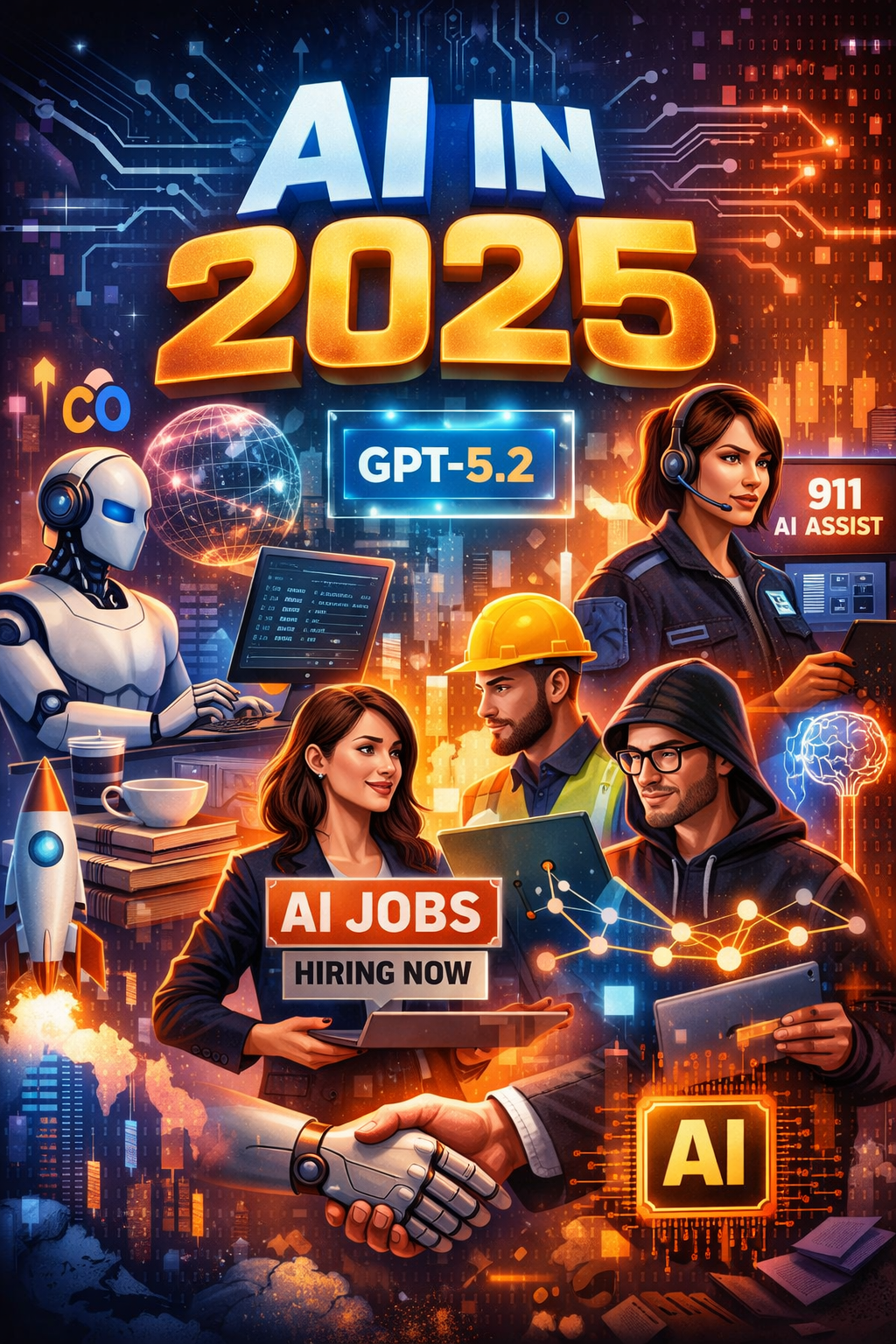
AI in 2025: The Good, The Nerdy & The Jobs That Will Make You Future-Proof
Artificial Intelligence isn’t just reshaping the future — it’s hiring for it. From Google’s new AI “CC” that runs your morning to OpenAI’s GPT-5.2 model rewriting what “smart” means, 2025 is officially the year AI grew up and got a real job. Discover the biggest AI breakthroughs, the fastest-growing AI careers, and the geeky edge you’ll need to stay ahead.
By: Geektrepreneur 🚀
If AI were a Hollywood blockbuster franchise, we’d be somewhere between AI: Rise of the Machines and AI: The Sequel That Surprised Everyone. Budgets are up, stakes are higher, and there’s drama everywhere — from boardrooms and government halls to your team Slack channel when someone asks if ChatGPT can write their TPS report.
In this blog, we’re breaking down the latest AI updates, top trends shaping 2025 and 2026, and the hottest AI jobs worth pivoting toward — all written in full Geektrepreneur style (light geeky humor + real talk + tactical insights).
🧠 Update 1: New AI Models That Actually Feel Smarter
Recent weeks gave us some serious AI model upgrades, and no — it wasn’t just new filter packs for generating TikTok scripts.
OpenAI launched GPT-5.2, touting big jumps in:
advanced reasoning
image comprehension
spreadsheet mastery
long-project automation
Dubbed their most capable model yet, GPT-5.2 is designed to do more than chat — it executes complex, multistep real-world tasks for users and businesses alike. (Barron's)
Takeaway: This is the kind of upgrade where your AI feels less like a digital parrot and more like that one semi-helpful intern who doesn’t steal your lunch.
☎️ Update 2: AI in Real-World Systems — Even 911 Dispatch
One of the coolest mixed-with-a-little-creepy updates? Snohomish County (near Seattle) deployed an AI assistant for 911 dispatchers to help with live translation, questioning, and follow-ups — but not replace people. (Axios)
That’s huge, because emergency response is one of those areas where mistakes cost lives. The fact that AI is now trusted to help in real time is an endorsement of how far reliability has come.
☀️ Update 3: Google’s “CC” — Your Morning Briefing, AI-Style
Google introduced CC — short for “Your Day Ahead” — an AI agent that scours your Gmail, Calendar, and Drive to craft a prioritized morning briefing. It’s like having an overachieving assistant who actually gets you coffee, not just reminds you that you need it. (The Verge)
This pairs directly with the rising trend of AI agents anticipating your needs instead of waiting for prompts — so now your inbox might judge you silently.
🧑💼 Update 4: Meta Goes All-In With AI
Meta (yes, the Facebook guys) just made AI central to how employees work, embracing not only its own models but tools from Google, OpenAI, and Anthropic — because nothing says “AI first” like a multi-vendor strategy. (Business Insider)
They’re even gamifying AI usage internally to encourage adoption — which is adorable and terrifying in equal measure.
📈 Update 5: New AI Arms & Jobs in the Making
India’s Reliance Industries launched Reliance Intelligence, its own AI venture focusing on Indic-language models and recruiting engineers now. (The Times of India)
Meanwhile, global retail giant Tesco is partnering with a European AI firm to improve retail operations. (The Scottish Sun)
Big banks like Goldman Sachs are reshaping investment divisions around AI-driven infrastructure and digital strategy. (Reuters)
And the U.S. federal government just launched Tech Force, a tech talent initiative to bring up to 1,000 AI and tech pros into public service roles. (Wikipedia)
Moral of the story: Whether it’s a startup in Mumbai or a policy desk in DC, AI jobs are everywhere. And they’re not just techies jacking code — they go from research to retail.
🔥 Trend 1: AI Adoption Is Actually Happening
Forget the early-2020s hype where everyone talked about AI — we’re at the phase where people are using it.
A recent Gallup survey shows that 45% of U.S. workers now use AI at work at least occasionally — up from 40% earlier in 2025. Frequent and daily usage is growing too. (Gallup.com)
AI is particularly entrenched in:
Technology and IT roles — fastest adoption
Finance
Professional services
Even in frontline industries like retail and healthcare, AI use is creeping up.
Translation: AI isn’t a buzzword — it’s already part of daily workflows. And that means instead of fearing automation, serious professionals need to learn how to work with AI.
🧠 Trend 2: Generative AI Is Still the Star Player
Generative AI isn’t slowing down — and that’s great news.
According to AI Index data:
78% of organizations reported using AI in 2024, up dramatically from the prior year. (Stanford HAI)
More jobs specifically request generative AI skills — and generative capacities are showing up across business functions beyond just content creation.
Non-technical jobs — think HR, sales enablement, and project management — are seeing AI augment responsibilities, not replace them.
⚖️ Trend 3: Regulation & Safety Are Finally On the Agenda
AI isn’t just about making cool toys anymore — governments are stepping in.
For example, California passed the Transparency in Frontier AI Act, requiring big AI firms to publish risk assessments and safety documentation. (Wikipedia)
Meanwhile, safety research teams are publishing international risk management frameworks to balance innovation with safeguards. (arXiv)
Corporate and regulatory compliance roles tied to AI safety and ethics are going to be huge next decade.
📊 Trend 4: AI Doesn’t Kill Jobs — It Reframes Them
Look, articles about AI destroying jobs are like reports that the zombie apocalypse “might affect the workforce.” Anxiety-selling sells clicks — but real data shows something more nuanced.
In fact:
AI exposure has caused employment loss among some younger workers. (ADP Research)
But wages and job opportunities are increasing in AI-exposed industries — including jobs that were once considered automatable. (PwC)
Generative AI skills job postings have ballooned from near zero to nearly 10,000 by mid-2025, and the trend is accelerating. (Lightcast)
So while some tasks are replaced, new ladders are forming faster than people realize.
🧑💻 2026 AI Job Trends: What’s Hot Right Now
Ready to pivot? These are the roles that companies are actually hiring for — and often at juicy paychecks:
1. AI/ML Engineer & Research Scientist
No surprises here — deep technical roles remain the backbone of AI growth. Expect offerings in:
Foundation model design
Multi-modal AI
Robotics and automation
These positions command strong six-figure salaries and often require advanced degrees.
2. Prompt Engineer → Prompt Strategist
Remember when that title sounded like a joke? Not anymore.
Prompt engineering is transitioning from a stopgap role to a strategic job function, especially in enterprise AI deployments. Expect duties like:
tailoring AI outputs to brand tone
designing multimodal prompts
dosing prompts for ethics and safety
It’s part artist, part scientist — and very 2025.
3. AI Product Manager
Product teams now expect leaders who speak AI and business. PMs with AI chops bridge dev + GTM + ethics.
This role is booming because almost every company now has an “AI playbook,” and someone has to own it.
4. AI Safety, Governance & Ethics Lead
As regulation grows, so does the need for experts who can:
audit models
set safety policies
ensure compliance with emerging laws
This isn’t just for lawyers. Tech-savvy ethicists and policy pros are in demand.
5. AI Trainer / Moderator
Don’t roll your eyes — someone’s gotta train the training data.
AI needs curated, high-quality insight from humans, and companies will pay for:
bias mitigation
data curation
domain-specific fine tuning
Quality data = better models = happier bosses.
6. Creative AI Integrator
Designers, UX pros, and multimedia talents are becoming AI integrators — using AI to create novel content faster and with flair.
AI unlocked experimental workflows in:
digital art
immersive marketing
interactive storytelling
Get creative + tech + AI — and you’re highly marketable.
7. AI Business Solutions Architect
This role isn’t just coding. It’s:
assessing business processes
designing AI augmentations
tracking ROI
Companies are spending more time figuring out how to use AI, not just whether to use it.
🚀 Final Thoughts: How to Ride the AI Wave (Instead of Getting Smashed By It)
Learn the basics of AI tools — you don’t need a PhD, but fluency is now table stakes.
Upskill in strategic roles where humans still win — governance, product leadership, ethics.
Be curious about AI safety and regulation — that’s where many careers will grow fastest.
Play the AI with human strengths — judgment, creativity, empathy.
AI won’t replace you. But someone who knows how to use it will. 😄
📌 Geektrepreneur’s Quick 2026 AI Job Map
Job TitleSkill LevelWhy It RocksAI/ML EngineerAdvancedCore AI builderAI Product ManagerMid-HighBusiness + AI strategyPrompt EngineerMidCreative technical roleAI Safety LeadMid-HighFuture-proof, compliance heavyAI TrainerEntry-MidHuman input still neededAI IntegratorMidCreativity + tech + AIAI Business ArchitectMid-HighDirect business impact
🔥 Stay tuned: In 2026, AI isn’t just going to be smarter — it might finally figure out how to make coffee that tastes like actual coffee (no more bitter blobs, please).
Until then, keep learning, stay curious, and may your AI prompts always return epic results.
— Geektrepreneur 🤓
⚠️ ChatGPT’s “Code Red”: Why the AI World is Basically an Episode of Silicon Valley Now
Google didn’t just panic — it went full Code Red when ChatGPT rolled in like a caffeinated intern who actually finishes tasks. One minute AI was a cute novelty, the next minute it was writing code, essays, and probably your breakup texts. This is the moment the entire tech world collectively realized: ‘Oh no… the machines aren’t rising — they’re competing.
Written by: Geektrepreneur
If you felt a sudden disturbance in the digital force—like millions of engineers crying out in panic, then immediately Googling “How to keep my job?”—congratulations, you lived through ChatGPT’s Code Red.
For those blissfully unaware (teach me your ways), “Code Red” is what Big Tech declares when something so disruptive hits the market that entire product roadmaps spontaneously combust. It’s basically the corporate version of flipping a table.
And this time, the table-flipper was ChatGPT.
The rest of the tech world? They’re still crawling on the floor looking for the screws.
So buckle up. Let’s walk through what happened, why it happened, and why somewhere in Mountain View a Google engineer is still gently sobbing into a kombucha bottle.
🚨 So What Is ChatGPT’s Code Red?
“Code Red” is the internal name Google reportedly gave the moment it realized ChatGPT wasn’t just a cute chatbot for writing haikus about bad life choices.
It was… well… a problem.
A big one.
The kind of problem that keeps investors awake at night refreshing analytics dashboards and whispering, “Tell me Daddy Google still owns search.”
ChatGPT didn’t just answer questions—it answered them with confidence. It wrote essays. It debugged code. It had the audacity to explain quantum physics in a way that didn’t make humans cry.
Even worse? People started using ChatGPT instead of Google.
That triggered Code Red.
In tech, this is the equivalent of walking into your bathroom and discovering your Roomba now rules the house and is demanding electoral representation.
🧠 Why ChatGPT Changed the Game Overnight
To understand the chaos, you need to understand what ChatGPT really did:
1. It made AI actually useful.
Before ChatGPT, AI chatbots were… how do I put this politely…
Useless.
They were the digital equivalent of a shopping mall kiosk salesperson:
Persistent, enthusiastic, and absolutely terrible at giving accurate information.
ChatGPT, however, rolled in like:
“I wrote a sonnet, debugged your API calls, and drafted your resignation letter. Want anything else?”
Suddenly, AI wasn’t a futuristic dream—it was here, caffeinated, and replacing half your browser tabs.
2. It threatened Google's most profitable business model.
Google Search is a money printer with a URL.
And here comes ChatGPT saying:
“I can answer your question directly instead of giving you 20 blue links, 6 ads, and a cookie policy pop-up.”
Google heard this and immediately checked if its fire insurance covered “AI disruption.”
3. It democratized intelligence.
People with zero coding background suddenly wrote scripts in Python.
Students who once begged professors for deadline extensions now got ChatGPT to write full papers, bibliography included, formatted in MLA like the overachiever it is.
Marketers automated emails.
Developers automated workflows.
And writers?
Writers began sweating harder than a GPU running Stable Diffusion.
🤖 Why Google Panicked (A.K.A. The Fun Part)
Google has been sitting on AI models that could probably run a small country. But deploying anything too powerful was always “too risky.”
Enter ChatGPT, stage left, wearing sunglasses and a leather jacket like a rebellious teen in an 80s movie.
Suddenly all of Google’s internal disclaimers, ethics boards, and “let’s not scare humanity yet” committees got overridden by:
“Ship something NOW.”
Because nobody wants to be the next BlackBerry.
⚔️ ChatGPT vs Google: The Showdown Tech Nerds Always Wanted
If Silicon Valley was WWE, this would be the title match:
ChatGPT
👉 Charming, fast, witty, borderline dangerous.
Google
👉 Gigantic, powerful, annoyed it now has to work weekends.
The world watched as Google scrambled to launch Bard (later renamed Gemini because—let’s be honest—Bard sounded like a Dungeons & Dragons NPC who writes slam poetry).
Meanwhile, ChatGPT kept dropping new features like Drake drops surprise albums.
ChatGPT 4? Boom.
AI tools? Boom.
Reasoning features? Boom.
Agents? Personal assistants? Custom GPTs?
At this point people are asking, “Is ChatGPT allowed to have this much power, or should someone call HR?”
The “Code Red” moment wasn’t just about AI.
It was about the balance of power shifting faster than Google could update its Terms of Service.
🛠️ How the Code Red Rippled Across the Industry
When Google panics, the rest of the world doesn’t just watch—they copy.
And oh boy, copy they DID.
1. Microsoft strapped Azure rockets to OpenAI
Microsoft saw the potential and basically adopted ChatGPT like a lost puppy with superpowers.
“Do you want $10 billion and access to every corporate office suite on the planet?”
“Woof.”
Suddenly ChatGPT was inside Microsoft Word, Excel, Teams, and probably the office coffee machine.
2. Startups pivoted so fast some snapped their spines
One day your startup sells ergonomic keyboards.
The next day your pitch deck says:
“Our AI-driven SaaS integrates LLM-based synergy nodes to automate neurolinguistic paradigms.”
Nobody knows what that means.
Including you.
But it gets funding.
3. Everyone released an AI tool—even brands who really, really shouldn’t have
Do we truly need AI-powered smart toasters?
Or AI-driven underwear sizing algorithms?
(Actually… never mind. That one might legitimately help.)
Companies were slapping “AI” onto products faster than teens adding filters to Instagram photos.
😂 The Best (and Weirdest) Reactions to ChatGPT’s Rise
Because the internet has no chill, humanity responded with memes, fear, joy, and philosophical debates—often at the same time.
Here are personal favorites:
1. “ChatGPT is going to steal all our jobs!”
Maybe—but listen…
If your job can be replaced by a paragraph generator, perhaps the universe is trying to tell you something.
2. Students suddenly became too clever
Professors started using AI detectors that were about as reliable as a Magic 8 Ball.
“Did you write this paper?”
Outlook not so good.
3. Coders both loved and feared it
ChatGPT can generate code faster than most developers generate reasons not to fix technical debt.
But does it always compile?
No.
Does it hallucinate sometimes?
Absolutely.
But that just means it’s officially one of the team.
📈 Why “Code Red” Was Actually the Best Thing to Happen to AI
Ironically, Google panicking is what supercharged the entire AI industry.
Competition breeds innovation.
Desperation breeds really fast innovation.
Suddenly we had:
Faster models
Cheaper inference
Better safety tools
More open-source alternatives
Actual consumer-level AI products
ChatGPT’s rise didn’t just launch a Code Red—it launched a golden age.
Sure, it also launched hourly think pieces titled:
“Will AI Kill Us?”
“Is My Blender Sentient?”
“Should I Marry My Chatbot?”
But that’s just the price of progress.
🧩 The Part Nobody Talks About: Why ChatGPT Succeeded Where Others Didn’t
Behind all the hype, there’s a more profound reason why ChatGPT hit harder than a GPU at 100% load:
1. It speaks human.
Not tech human.
Actual human.
It didn’t talk like a research paper whose authors were allergic to the word “simple.”
It talked like a knowledgeable friend—sometimes too knowledgeable.
2. It was free.
At launch, ChatGPT was free enough to make CFOs sweat.
Millions of people showed up.
Servers cried.
OpenAI scaled like IKEA furniture built by someone who actually reads the instructions.
3. It made people feel powerful.
Everyone—from CEOs to teenagers—suddenly had access to a tool that amplified their intelligence.
That’s intoxicating.
And disruptive.
And very, very Code Red–worthy.
🔮 What Happens Next?
If Code Red was the explosion, everything happening now is the shockwave.
Here’s what to expect:
1. AI will become a layer in every product.
Your fridge will talk to your oven.
Your oven will talk to your calendar.
Your calendar will talk to ChatGPT.
And ChatGPT will ask if you want a lasagna tutorial.
2. Search engines will evolve drastically.
Google, Bing, DuckDuckGo…
They’ll all morph into conversational experiences.
Imagine asking,
“Plan a weekend trip under $300 and book it for me,”
and your AI simply… does it.
This is the death of link-hunting as we know it.
3. Code Red moments will keep happening.
Because AI is accelerating that fast.
We’re not looking at one disruption—we’re staring at a cascade.
The same way the iPhone changed everything, AI is about to change everything else.
💡 Final Thoughts: Why Code Red Was a Wake-Up Call for All of Us
Tech companies panicked.
Developers scrambled.
Writers cried.
Google hyperventilated.
But for the rest of us?
Code Red meant opportunity.
The power of AI—once locked behind PhDs and research labs—became something anyone could use. Something anyone could learn from. Something anyone could build with.
ChatGPT didn’t just trigger Code Red at Google.
It triggered Code Red in the entire definition of work, creativity, and problem-solving.
And honestly?
It’s about time.
Welcome to the new world—
where your coworker might be a chatbot,
your best brainstorm partner is an algorithm,
and “Googling it” may soon be replaced by
“Just ask the machine.”
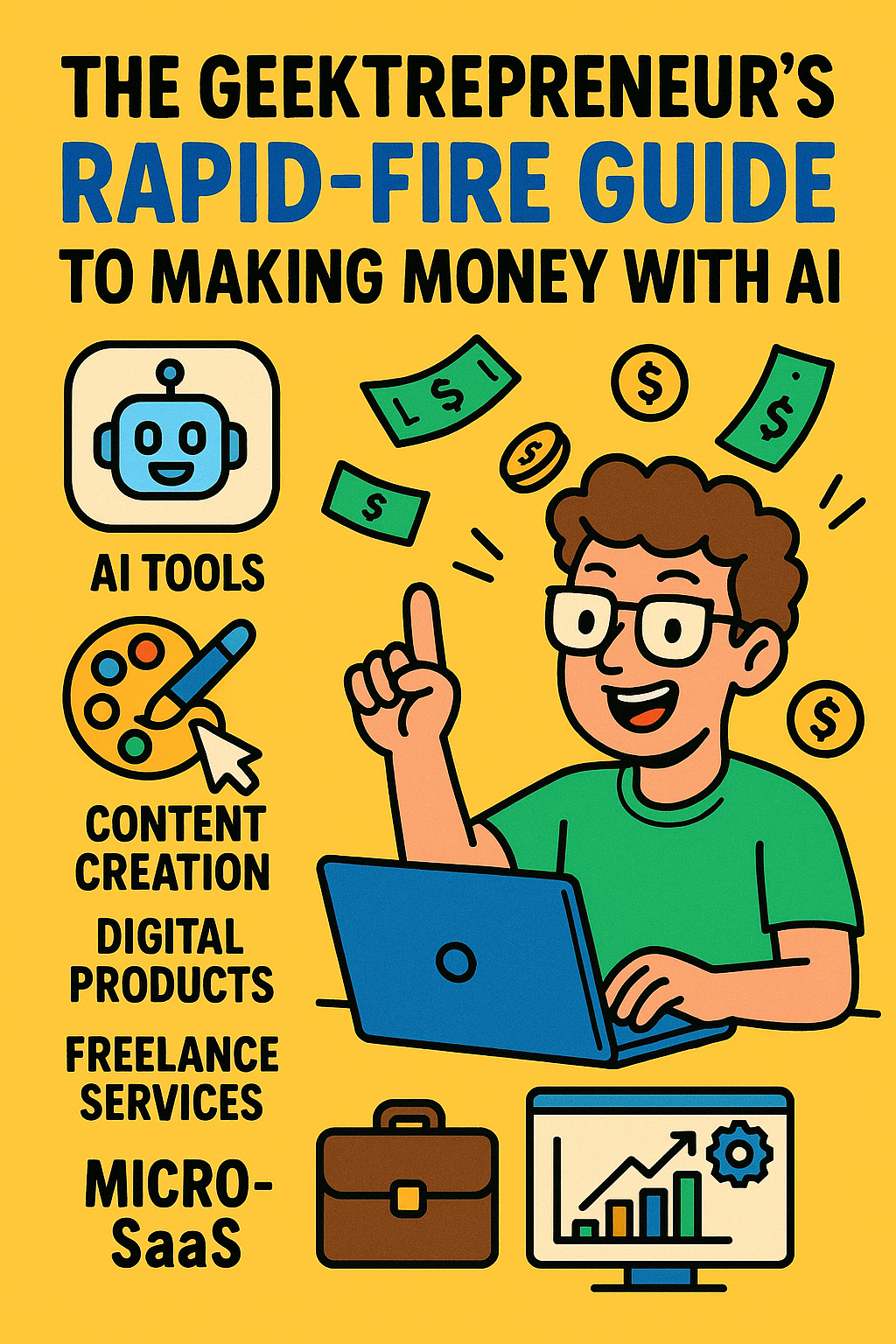
The Geektrepreneur’s Rapid-Fire Guide to Making Money with AI
Welcome to the Geektrepreneur’s Rapid-Fire Guide to Making Money with AI! Forget long hours and burnout — in 2025, your new business partner runs on algorithms, not caffeine. From content creation and automation to micro-SaaS and digital products, AI isn’t just the future — it’s your fast track to income today. Learn how to turn prompts into profit, scale smarter, and let your laptop finally earn its keep. Ready to hustle like a genius (without the burnout)? Let’s geek and grow rich!
1 | “Mondays Are for Money-Makers” (and AI)
If you’re reading this, you’ve already taken the first step: you’ve acknowledged that you’d rather a machine hustle for you than you hustle by you. Good call.
We live in the era of ChatGPT, generative art models, voice-synth agents and “tell-it-to-AI-and-it-builds-stuff” platforms. So why should you still be grinding like it’s 2010?
Because you’ve got AI now. For example, one article lists 15 proven ways you can make money with AI—even as a non-tech person. (Elegant Themes)
Another resource for freelancers talks about how “75% of small businesses are either actively using AI or exploring it,” creating opportunity gaps for you. (Upwork)
In short: Yes, the future is here. And yes—your wallet still wants to be fat.
2 | Top AI Tools Worth Your Hustle
Let’s cut the fluff. Here are actual tools you can start using today to generate cash.
Predis.ai – A generative content & social media automation tool (videos, captions, auto-posting). Great for e-commerce sellers or social media hustlers. (Wikipedia)
SEMrush / Mailchimp / Fiverr’s AI Chatbot services – Mentioned by Forbes for 2025 as income-generating AI tools. (Forbes)
Generic buckets: Use AI to create content (blogs, scripts, captions), build simple websites, produce digital visual products, make audio content. All of these are monetizable. (The Motley Fool)
So yes: you don’t need to build Skynet. You just need to pick a tool, a niche, and a monetization path.
3 | Score-Ready Monetization Paths (Because We’re in It to Win It)
Here are concrete money-making paths. Pick one, run with it, iterate fast.
A) Content Creation Machine
Write blogs, do video scripts, captions, e-books, even voice-overs. With tools like ChatGPT doing the heavy lifting, you become the director, not the script-monkey.
“Use AI tools to generate various content types that can generate income.” (The Motley Fool)
Launch on Medium, Substack, YouTube, or your own site. Monetize via ads, affiliate links, sponsorships.
B) Digital Product Hustle
Generate downloadable items: templates, graphics, audio files, video clips.
AI tools can crank out the visuals or voice-over work. Then sell on platforms or your own store.
“AI tools help you manage your side hustle smarter, save time and boost your earnings.” (wix.com)
C) Freelance / Client Services
You don’t need to keep 100% of profits; letting someone else pay you to use AI is even sweeter.
Offer services like: social media automation, ad-creation, website‐design (with AI builder), copywriting.
“Learn realistic, step-by-step ways to make money using AI, with tools, strategies, and proven examples for freelancers.” (Upwork)
D) Build a Micro-SaaS or Side App
If you’ve got some dev chops (or partner with one), use “vibe coding” type tools (AI that builds apps) and launch something lean. The returns may be slower but the upside is high. (YouTube)
4 | How to Pick Your Money-Making AI Niche (Without Pulling All Nighters)
Pick your skill zone – Are you more words, visuals, video, voice?
Pick your monetization model – Ads? Clients? Direct sales? Subscription?
Pick your tool – Use one tool well instead of tossing 20 at random.
Pick your barrier to entry – The less competition, the better. A weird niche = good.
Validate quickly – Build something minimal. Charge. Iterate.
Here’s a mini example:
Skill zone: visuals
Monetization model: digital product sales (prints, templates)
Tool: Predis.ai
Niche: e-commerce sellers who need social posts
Validation: Run a test gig on Fiverr or list a template pack on Gumroad
Boom. You’re in business.
5 | My Favorite Quick Wins for “Cash in 30 Days or Less”
Because yes, you came here for “fast money,” not “wait-5-years-maybe-profit.”
Create and sell social media content packs (images + captions + hashtags) using Predis.ai.
Offer ad-creative services: “I’ll create 3 social ads for your small biz in 48 hrs.” Use AI for visuals + copy.
Launch a micro-blog focused on a niche (say: “AI Tools for Pet Sitters”) and monetize via affiliate links.
Create and publish an e-book or mini course: “How I used AI to do X in 7 days.” Use AI to write, format, design.
Offer monthly subscription service: “Monthly AI-Generated Content Calendar for Your Instagram” (use AI to generate the calendar).
Yeah, you’ll hustle—but you’ll hustle smarter.
6 | Pitfalls (Yes, Even the Geektrepreneur Trolls Need Warnings)
Everyone and their dog is using AI now. Your edge isn’t just the tool—it’s your execution + niche. (Elegant Themes)
Free tiers often come with commercial-use limitations. Read the fine print. (YouTube)
AI isn’t totally “set it and forget it.” You still need marketing, client relations, follow-up.
Overselling “earn $10k/month with zero effort” is a red flag—results vary. (YouTube)
7 | “Okay, Geektrepreneur, Give Me the 5-Minute Prompt Strategy”
I’m generous. Here’s a simple workflow you can adopt today:
Step 1: Define niche + offer
E.g., “Monthly social media ad bundles for local coffee shops.”
Step 2: Use your AI tool
Plug in: “Create 5 Instagram carousel posts (image concepts + captions) targeted at local coffee shops with tagline ‘Sip & Scroll.’ Tone: friendly, indie café.”
Step 3: Package it
Combine text + visuals into a PDF + thumbsails. Use Canva or similar (which also has AI features).
Step 4: Market it
Post on Fiverr/Gumroad/Your site. Reach out locally. Use your portfolio.
Step 5: Upsell
Offer monthly subscription, add custom images for premium, or bundle services.
Step 6: Optimize
Collect feedback, track what works, tweak your offer, raise your price.
8 | The “AI Tools to Know” Cheat Sheet
Just to wrap things up, these are the categories & what to look for:
Tool Category What You Use It For Content Generation (text) Blogs, scripts, e-books Image/Visual Generation Social media posts, product visuals, prints Video / Voice / Audio YouTube, podcasts, voice-overs Automation / Workflow Posting, scheduling, repurposing content App / SaaS Builders Side apps, micro-SaaS, tools for niche clients
If you’re still unsure: focus on one category, master one tool, and deliver one offer. The inertia comes from doing, not just planning.
9 | Final Thoughts (Yes, We’re Almost Done)
I could keep rambling about how “AI is the gold rush of 2025” (and yup, that is true) but what you need is action not inspiration alone.
Your job: pick a lane, pick a tool, pick an offer.
Your job, upgraded with AI: execute faster, cheaper, more efficiently.
Remember: The machine doesn’t succeed for you—but it sure can help you make success happen faster.
Go forth. Let your bank account meet your ambition.
And if anyone asks how you did it—just tell them you had a little help from your robot friend.
https://raymondefavors.com https://thegeektrepreneur.com
Stay geeky. Stay entrepreneurial.
– Geektrepreneur
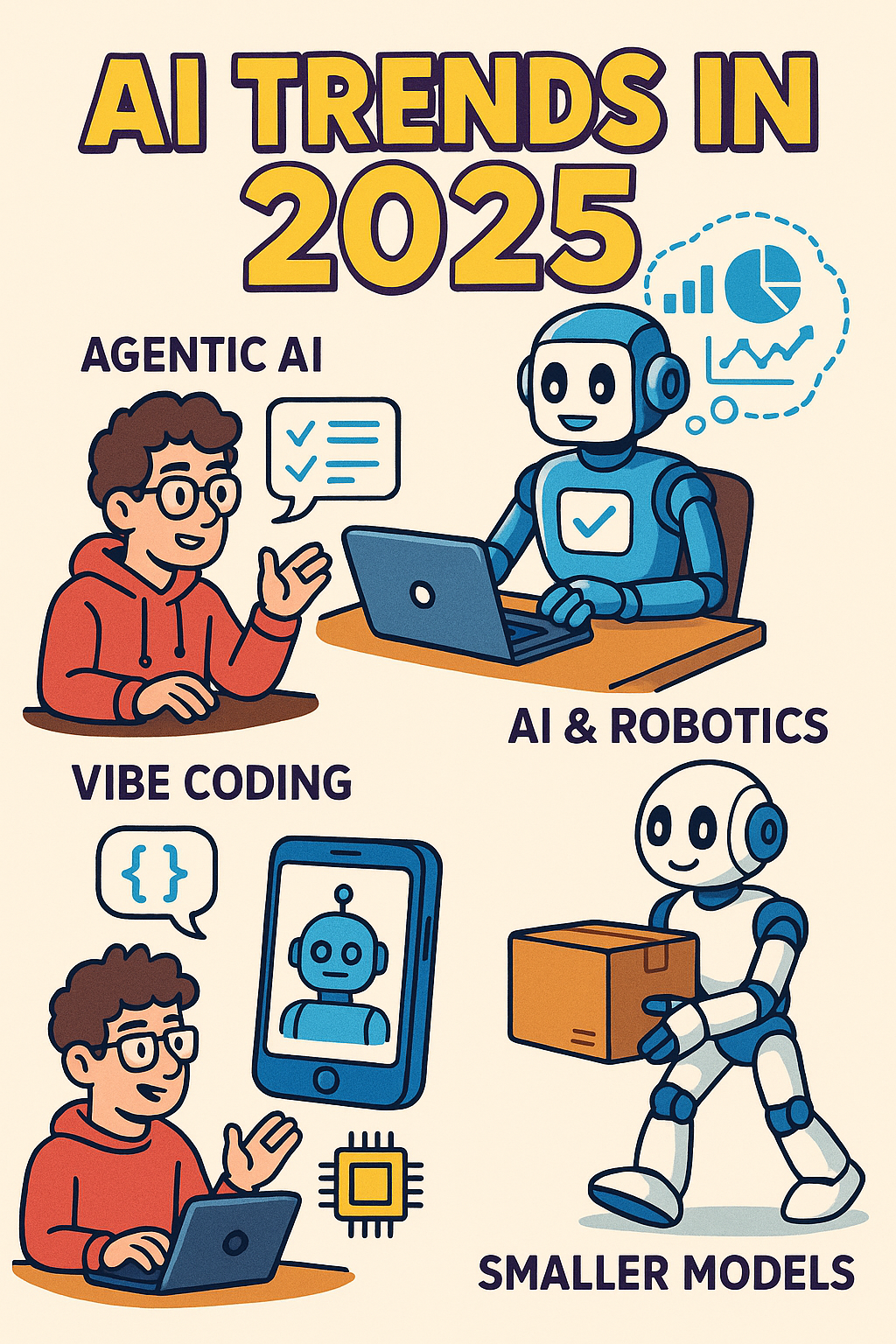
AI Trends in 2025: The Rise of Agent Overlords, Vibe Coding, and the (Hopefully) Benevolent Robot Uprising
Artificial Intelligence in 2025 has officially hit its rebellious teen years — it’s smarter, moodier, and probably coding its own mixtape. From agentic AIs running on autopilot to “vibe coding” that lets you program by chatting, this year’s trends are reshaping how we build, work, and live. Buckle up — Geektrepreneur is decoding the future of AI with humor, insight, and a healthy dose of caffeine.
Welcome, fellow carbon-based lifeforms! If you’ve clicked on this blog in search of the next big thing in AI, congratulations — you're already part of the experiment. Pull up a chair, power up your cognitive circuits, and let me (Geektrepreneur) guide you through the wild, wonderful, and sometimes worrisome trends defining artificial intelligence in 2025.
We’ll mix in a dash of tech humor, sprinkle in some real insight, and by the end, you'll be able to at least bluff convincingly at cocktail parties when someone says “agentic AI” or “synthetic data pipeline.”
The Big Picture: Why 2025 Feels Like AI’s Teenage Years
First, a reality check: AI isn’t new. But in 2025, it's no longer confined to lab demos and sci-fi speculation — it’s creeping into everything from your email drafts to industrial robotics, from smart earbuds to drone swarms.
Some context:
According to Stanford’s 2025 AI Index, AI is becoming more efficient, affordable, and accessible. (Stanford HAI)
Costs to use AI (i.e. inference) are plummeting, even as training remains expensive. (IEEE Spectrum)
Global AI adoption is growing ~20% per year, and generative AI usage soared from ~55% to ~75% among enterprises recently. (coherentsolutions.com)
In short: we’re past the boom hype of 2023/24, and now entering the maturity-and-explosion phase — where AI becomes ubiquitous, yet the real differentiators are efficiency, alignment, and clever applications.
Trend 1: Agentic AIs — From Copilot to Autopilot
If you thought ChatGPT was cool, wait until you meet its descendants: AI agents. These aren’t simple chatbots — they’re autonomous systems that can plan, act, monitor, and adapt across multiple subtasks and modules.
Think of them as digital interns that actually do stuff, not just answer questions.
Governments and public-sector orgs talk about multi-agent systems to handle workflows, security threats, resource allocation, etc. (Google Cloud)
Financial and enterprise software firms are embedding “agents” to optimize operations, respond dynamically, or manage internal tools. (Morgan Stanley)
A notable commentary: the shift from AI as “co-pilot” (assistive) toward full “autopilot” is underway — with systems increasingly capable of making decisions and executing them. (Financial Times)
Caution: full autonomy has limits (trust, safety, interpretability). Most deployed agents today operate in constrained domains, with humans still hovering as supervisors.
Trend 2: Vibe Coding — Programming by Whispering to an AI
Coding used to mean writing lines of syntax, debugging stack traces, and drowning in documentation. But 2025 is bringing us vibe coding: instruct an LLM in plain language, let it generate working code, and iterate based on results instead of legibility.
The term was popularized in early 2025 and even made it to Merriam-Webster’s trending slang list. (Wikipedia)
In vibe coding, developers don’t deeply inspect the generated code. They test, observe, tweak, and prompt again — trusting the AI to shape the implementation. (Wikipedia)
Some startups are already reporting that portions of their codebases are ~95% AI-generated. (Wikipedia)
Humor moment: sometimes the AI “hallucinates” a function or mismanages your database. But the thrill of “just say it, let it run, pray it doesn’t delete your production data” — that’s modern dev life.
Vibe coding accelerates iteration, lowers the barrier for non-expert creators, and may redefine how software is built. But for critical systems you might still want human review.
Trend 3: Miniature, Efficient Models — Less Brute Force, More Elegance
Remember when bigger always meant better in AI? That’s changing.
An MIT study warns that the obsession with scaling up (parameter count, compute) is hitting diminishing returns — future improvements will lean more on algorithmic creativity than raw size. (WIRED)
Open-weight (i.e. open-source) models are closing the performance gap with proprietary giants. (Stanford HAI)
The cost to perform inference — the act of querying a model — has dropped dramatically (performance per dollar is improving by an order of magnitude). (IEEE Spectrum)
So: 2025 is the year small models become smart, efficient, and crowd-playable. No infinite GPU farms required for many real applications.
Trend 4: On-Device AI & Edge Intelligence — AI in Your Pocket (Literally)
If all AI lives in the cloud, you're always at risk of latency, connection issues, or creepy surveillance. That’s why on-device AI is gaining traction.
A survey of on-device AI models outlines optimization techniques (model compression, quantization, hardware acceleration) to run models on resource-constrained devices. (arXiv)
Devices like phones, cameras, IoT sensors, wearables — all are starting to embed real AI inference locally.
This shift also enhances privacy (less data being sent to cloud), lower latency, and more robust offline performance.
In 2025, the phrase “AI in your pocket” stops being metaphorical and starts being literal.
Trend 5: Synthetic Data Becomes the New Fuel
Good training data is the lifeblood of AI. But real, labeled data is expensive, messy, biased, or unavailable for niche tasks. Enter synthetic data — AI-generated data that we use to train or tune other AI systems.
Researchers observe a growing trend of using auxiliary generative models to produce synthetic datasets across the pipeline. (arXiv)
Synthetic data helps with scarcity, augmenting minority classes, simulate “what-if” scenarios, or anonymization.
But it’s not perfect: controlling the outputs, ensuring representativity, and avoiding discriminatory bias are open problems.
In essence: AI helping train AI. It’s inception, but with fewer paradoxes and more hallucinations.
Trend 6: AI + Robotics, Vision-Language-Action Models (VLAs)
We’re making progress in merging perception, language, and action — so robots don’t just “see,” they “understand & act.”
New Vision-Language-Action (VLA) models are emerging (e.g. Helix, GR00T, Gemini Robotics) that combine scene understanding with motor control. (Wikipedia)
Robots using VLA can interpret context, plan actions (e.g. folding objects, manipulating tools), and adapt to new tasks.
This pushes us closer to generalist embodied agents that interact with the real world, not just text.
The sci-fi dream of robots that “see, think, and do” is edging closer. Just don’t expect them to make you coffee (yet).
Trend 7: Healthcare, Bioscience, and Medicine — AI’s Secret Weapon (Finally Unmasked)
AI in healthcare is already here — and 2025 could be its breakout (less flashy, more life-saving phase).
Cathie Wood recently called healthcare the “sleeper” AI opportunity on Wall Street — underappreciated, but massive in impact. (Business Insider)
Applications include diagnostics, drug discovery, medical imaging, genomics, and predictive models for patient care.
AI is being integrated with CRISPR, sequencing, and robotics to accelerate experiments and personalize medicine.
Yes, that also means ethical, regulatory, and data-protection challenges are magnified. But if AI saves your life one day, you’ll probably forgive the bias debates.
Trend 8: AI Regulation, Safety, and National Tech Rivalry
As AI power increases, so does responsibility (ode to Uncle Ben). Governments, institutions, and international bodies are now scrambling to regulate, coordinate, and compete.
The First International AI Safety Report (Jan 2025) laid out risks and mitigation strategies. (Wikipedia)
In Feb 2025, the AI Action Summit in Paris convened 100+ countries to balance innovation with safety. (Wikipedia)
Meanwhile, China is advancing in open-source AI and challenging U.S. dominance. (The Washington Post)
The Hype Cycle 2025 highlights that many “bleeding-edge” AI techniques are still in the “peak of inflated expectations” zone. (Gartner)
We’re in a regulatory Goldilocks zone: too little oversight invites disaster, too much stifles innovation.
Trend 9: Security & AI-Powered Attacks — The Arms Race Escalates
Alongside benevolent AI, dark AI is prowling:
Experts warn about zero-day AI attacks — autonomous agents learning and launching tailored exploits. (Axios)
Defensive systems are racing to catch up (AI detection & response, adversarial defenses, red teaming).
Ethical & adversarial robustness is increasingly baked into model design.
In 2025, security is no longer a side concern — it’s a central battlefield for AI's future.
Trend 10: The Two-Tier AI Economy & the Inequality Gap
AI’s rise isn’t evenly distributed. A growing “two-tier” ecosystem is forming:
Big tech and well-funded players corner infrastructure, research, and talent.
Smaller firms or under-resourced countries struggle to keep up with compute, data, and research barriers.
Without widespread AI literacy or equitable frameworks, the innovation gap could widen. (Crescendo.ai)
It’s not enough for AI to be powerful — it must also be inclusive and democratized.
What to Watch — Signals That Hint Where We’re Going Next
Breakthroughs in reasoning, planning, and long-term memory — when models can chain logic over long contexts.
Self-supervised and contrastive learning advances that reduce labeled data needs.
Custom AI chips and architecture innovations, especially for low-power or edge use. (Morgan Stanley)
Better interpretability, alignment, and safe exploration methods (so agents don’t do dumb or dangerous things).
Regulation clarity and ecosystem standards (model auditing, watermarking, liability).
Human + AI collaboration tools: interfaces that let non-experts “talk” to AI more naturally.
Advice for Humans in 2025 (Yes, You Still Matter)
You might be asking: “Okay, but what do I do with all this AI momentum?”
Here’s my (humorous but sincere) roadmap:
Learn the language: Get comfy with terms like agents, multimodal, reasoning, alignment, synthetic data.
Integrate intimately: Don’t just use AI tools — embed them into your workflows (content, design, dev, etc.).
Start small: Pick repetitive tasks or creative side projects to automate with AI agents.
Invest in ethics & safety: Think deeply about bias, data privacy, auditability — these will matter (legally, morally, and socially).
Collaborate across domains: AI is no longer just for “AI folks” — domain knowledge + AI skills = power.
Prepare for turbulence: Upskilling, adaptability, regulatory changes — the ground under our feet is shifting fast.
Stay skeptical: Every demo looks magical until you try it in the wild. Validate, test, stress. Don’t drink the AI Kool-Aid blindly.
A (Slightly Absurd) Prediction Table
Year Prediction 2026 “Vibe coding” tools power half of new mobile apps 2027 AI agent crashes a smart home, argues with fridge over leftovers 2028 Robot baristas personally know your coffee preferences 2030 We regulate “agentic AI licenses” and require prompt identity proofs
Yes, I may have made up that last one, but I wouldn’t bet against it.
In Closing: Embrace, But Don’t Be Subsumed
2025 is a weird, wonderful, wild year for AI. We are at the nexus of capability, safety, efficiency, and responsibility. The trends we’ve covered — agentic AI, vibe coding, synthetic data, robotics, healthcare, regulation, security — aren’t fads. They are tectonic shifts.
But here’s the humanizing truth: AI is our amplifier, not our replacement. The most fascinating breakthroughs will come when we combine human domain wisdom, empathy, ethics, and creativity with AI’s scale, speed, and generative power.
If you want to build something, advise on AI strategy, or even laugh at AI’s weird hallucinations with me, I’m your blogger. The future is ours to tinker with — just don’t be surprised when your toaster demands a union.
— Geektrepreneur
Meet Your New Sidekick: The ChatGPT Agent Kit Is Here to Do Your Bidding (Nicely)
Meet the ChatGPT Agent Kit — your new AI sidekick that doesn’t just talk back, it gets things done. From drafting emails to researching markets and even building your next slide deck, this isn’t your average chatbot — it’s your caffeine-free productivity powerhouse. Geektrepreneur dives into how AgentKit is quietly revolutionizing how we work, one witty robot at a time. Spoiler: your to-do list should start getting nervous.
Let me paint you a picture:
You wake up. Coffee first — obviously. Then your mind drifts to the dozen things you should do today: respond to that backlog of emails, plan a presentation for next week, scour the web for competitor intel, maybe even—gasp—order groceries for the weekend. Already exhausted just thinking about it, right?
What if I told you that very soon you might not have to do any of those things… because your very own AI agent can do them for you?
Cue the dramatic music. Enter ChatGPT Agent Kit — OpenAI’s shiny new toolbox for giving ChatGPT the ability to think and act. Yes, your AI assistant is leveling up from typing responses to rolling up its digital sleeves and handling multi-step tasks, all while you sip your coffee.
This isn’t sci-fi—this is the future of productivity, delivered with a side of witty banter (because, obviously, I asked it to introduce itself).
What Is the ChatGPT Agent Kit, Anyway?
Let’s put on our speculative detective hats (just for fun):
The AgentKit is a set of tools that helps developers and enterprises build, deploy, and optimize “agents” — basically ChatGPT-powered systems that aren’t just reactive, but proactive. (OpenAI)
Here’s what that means in practical terms:
Agent Builder: A visual canvas (drag-and-drop style) for composing logic, branching flows, and orchestrating multi-agent scenarios. Traditionally, these kinds of workflows required messy spaghetti code. Now you get a sandbox with version control and previews. (OpenAI)
Connector Registry: A central system to manage tools, APIs, and data sources (Google Drive, Dropbox, Microsoft Teams, etc.). You (or your agent) decide who talks to whom, for what purpose—so agents aren’t running around like caffeine-addled toddlers. (OpenAI)
ChatKit: Want to embed an agent-powered chat interface in your product or dashboard? ChatKit helps you do just that — with custom UI elements, messaging flows, and integration hooks. (OpenAI)
Evals + Optimization Tools: Gone are the days of manually testing whether your agent works. You get datasets, trace grading, prompt tuning, and even reinforcement-fine-tuning mechanisms to push your agents higher on the competence ladder. (OpenAI)
In short: AgentKit is like giving ChatGPT a Swiss Army knife, a map, and a GPS — all the tools to not only talk, but do.
The Underlying Superpower: ChatGPT Agent
Because what’s a toolkit without something powerful inside it?
OpenAI now offers a ChatGPT agent—a new agentic model that combines Deep Research and Operator into a unified system. (OpenAI) Operator gave ChatGPT the ability to do things in a visual browser (clicking, filling forms, navigating sites). Deep Research allowed for heavy-duty web synthesis and reasoned reports. The new Agent blends both. (OpenAI)
So now, instead of just answering your prompt with “Here’s what you could do,” the agent might say, “Cool, I just did it for you. Check your draft PowerPoint.” It can:
Use a virtual browser to navigate websites and interact with forms. (WIRED)
Run code via a terminal tool (with limited network access) for data processing, analysis, or custom spreadsheets. (OpenAI)
Access external tools and data sources via connectors (Google Drive, APIs, etc.). (OpenAI)
Of course, it’s not perfect. It still needs your oversight, especially before it pushes “Submit” or “Buy.” Safety mechanisms and guardrails are built in to catch misfires or risky actions. (OpenAI)
A Day in the Life: What Your Agent Can Do for You
Let’s humanize this. Imagine your agent has a name—“Gadget.” (Yes, I named it. I do that sometimes.)
Here’s how Gadget might help you today:
Inbox Triage & Summaries
Gadget scans your unread emails, flags high-priority ones, drafts responses, and asks for approval before sending.
Because yes, your time is too precious to wade through newsletters about cat furniture.
Research Whirlwinds
You ask: “Gadget, tell me three start-ups in AI security we could pitch to.”
It jumps into research mode: searches web, reads articles, filters by funding history, makes a comparative table. Then gives you a polished memo. Meanwhile, you scroll Instagram. 😎
Presentation Prep
You say: “Gadget, I need a 10-slide deck comparing our product vs. the top 3 rivals.”
Gadget collects data, builds a rough deck in PPT or Google Slides format, and then prompts you to refine messaging. You aren’t starting from blank.
Shopping & Procurement (Cautiously)
Ask: “Gadget, order those wireless headphones I liked last week.”
It finds the product, chooses the best price (with parameters you set), and before checking out, sends you a “Ready to pay?” message.
(Yes, it’s ethical. We taught it manners.)
Aggregated Context Assistant
Gadget monitors your calendar, upcoming meetings, related news in your industry, and gently nudges you: “Hey — your meeting with Acme Corp is tomorrow. Here are recent news items on them.”
Boom. You walk into meetings smarter, not scrambling.
If all this were a sitcom, Gadget is your neurotic but brilliant roommate. Occasionally nosy, often helpful, with a weird obsession with efficient file naming.
Why This Could Be a Game-Changer (or a Comedy of Errors)
🚀 The Upside: From Overwhelm to “Hey, I Got This”
Productivity gains: By delegating multi-step tasks, you reclaim brainspace for big ideas.
Faster iteration: No more “mockups, feedback, tweak, mockups again” loops. You can spin up workflows quickly with AgentKit’s visual tools.
Less context switching: Instead of bouncing between 10 tabs, Gadget can do the legwork.
Smarter decisions: Because your agent can ingest, compare, and output structured insights faster than you can manually.
You might get to that mythical state of inbox zero. (I know it's a fantasy, but dream big.)
⚠️ The Risks: Buggy Bots, Hallucinations & “Oops” Moments
Misclicks and overreach: The agent might misinterpret your “click here” instructions and do something you didn’t want (though guardrails help).
Hallucinated data: Even with research combos, agents can invent “facts” or mis-map sources. Always good to double-check.
Permissions and privacy: You’re opening your digital doors a little wider — which requires robust security.
Complex UIs still stymie it: Some websites are terrible to automate (popups, weird scripts). Agents sometimes get stuck.
Trust calibration: Users may over-trust the agent and skip reviewing its work. Don’t let Gadget become your evil twin.
OpenAI seems fully aware of these dangers — that’s why they baked in safety layers and explicit human check points. (OpenAI)
How to Build with AgentKit (For the Curious Devs & Hustlers)
If you’re thinking, “Geektrepreneur, I want in,” here’s how you can ride this wave:
Sketch the user flow — What task will the agent handle? What are its decision points?
Use Agent Builder — Drag nodes, assign connectors/tools, version and test.
Use connectors — Link your apps, databases, APIs to the agent via the registry.
Define guardrails — E.g. “Never make purchases above $100 without explicit confirmation,” or “Reject prompts that ask for personal data.”
Embed with ChatKit — Plug the agent interface into your product (dashboard, app, website) so end-users can talk to it.
Evaluate & iterate — Use Evals, trace logs, feedback loops, and tuning to refine.
Monitor & scale — Watch failure modes, optimize flows, expand to multiple agents collaborating (i.e. little Gadget minions).
Bonus: OpenAI has a “Practical Guide to Building Agents” PDF that outlines use-case selection, orchestration patterns, and best practices. (OpenAI CDN)
Also, if you're into Python, the OpenAI Agents SDK gives you primitives — agents, handoffs, guardrails, sessions — plus built-in tracing views. (OpenAI GitHub)
Memorable Metaphor Moment: Your Personal Task Butlers
If ChatGPT was your courteous butler so far, AgentKit turns it into a full staff. You don’t just ask the butler to bring tea; you tell your team of staff: “Start the day by summarizing the news, prep my schedule, get the visuals ready for that pitch, order lunch if I don’t cancel by noon.” Then you wander in like a tech-era aristocrat. (Minus the powdered wig.)
And yes — sometimes the butler will trip on the rug. But over time, he learns.
A Little Humor (Because AI Doesn’t Need to Be Boring)
Gadget occasionally sends me status updates like: “I’m crawling three tabs deep, is that okay?”
I asked it to plan brunch; it replied, “Do you prefer pancakes or existential dread as a side?”
Once it accidentally generated a marketing tagline: “AgentKit: Because ChatGPT Links the Dots for You (Even When You’re Tired).”
It also keeps nagging me (in gentle robot tones): “Don’t forget to water your plants. They need you.”
When it fails, it sends memes. (Just kidding… or am I?)
Where This Fits in the Big Picture
AgentKit is part of a broader shift: moving from conversational AI to agentic AI — where the model doesn’t just chat, it executes. (OpenAI)
OpenAI’s earlier attempts—Operator for web tasks, Deep Research for synthesis—were steps. The ChatGPT agent merges them. (OpenAI)
In tech culture, it’s one more piece in the push toward “AI agents as digital coworkers.” Not replacements (yet), but powerful assistants. Just don’t expect it to bring coffee… leave that to the humans.
Final Thoughts: Embrace the Future (With a Helmet On)
If you asked me six months ago whether I’d one day tell someone, “Hey, let me delegate that PR pitch to my AI agent,” I’d have laughed and spit out my coffee. But we’re here now.
The ChatGPT Agent Kit is a bold move — one that empowers creators, hustlers, enterprises, and curious tinkerers to build agents that do more than type. But with great power comes the need for responsibility: guardrails, audits, checks, and humility.
Let this be your call to action (or gentle nudge): explore AgentKit, dream of things your agent could offload, and start small. You might begin with “agent, write me a blog intro,” but soon you’ll graduate to multi-agent orchestration: agents talking to agents, flowing tasks, sending results back to you. And as you sip your morning coffee, you’ll sit back and say, “Yes. I have an AI crew now. And they’re working for me.”
Just don’t forget: even the best agents need human checks. So keep your eyes on the map, your sense of humor intact, and your digital butler on probation.
Until next time — may your agents be clever, your guardrails solid, and your coffee strong.
— The Geektrepreneur
Learning A.I. in 2025: How to Befriend the Smartest Kid in the Class Without Losing Your Lunch Money
Learning A.I. in 2025 is like befriending the smartest kid in class—except this kid never sleeps, sometimes makes up history, and occasionally recommends adding GPUs to your lasagna recipe. From rookie mistakes to Jedi-level hacks, this blog shows you how to laugh your way through the future of learning A.I.
Introduction: A.I. Is No Longer Sci-Fi, It’s Wi-Fi
Remember when artificial intelligence was something you only saw in movies? The genius robot sidekick who always knew the answer, or the villainous machine bent on taking over the world? Fast forward to 2025, and A.I. is less “Skynet is coming” and more “Alexa, stop playing Nickelback at 3 a.m.”
Learning A.I. today is like learning to drive back in the 1960s—if you don’t get on board, you’ll be the one walking while everyone else zooms past you in self-parking Teslas. Except this time, the car is also your co-pilot, financial advisor, and maybe your part-time therapist.
So buckle up, future A.I. wrangler. In this blog, I’ll walk you through what learning A.I. in 2025 really looks like, why it’s easier (and funnier) than you think, and how not to accidentally ask your chatbot to do your taxes in Klingon.
Chapter 1: Why Learning A.I. Now Is Like Owning Bitcoin in 2011
In 2011, you could buy a pizza with 10,000 Bitcoin. Today, that pizza would be worth half the GDP of a small country. Learning A.I. in 2025 has the same kind of “don’t-sleep-on-it” energy.
Career opportunities? Check. Every industry, from dentistry to dog grooming, is adopting A.I. faster than you can say “ChatGPT, fetch me a marketing plan.”
Entrepreneurship? Double check. You can literally build a SaaS startup in a week with no-code tools and GPT-powered APIs.
Street cred? Triple check. Nothing says “I’m ahead of the curve” like casually dropping phrases such as “reinforcement learning” at a dinner party while everyone else just Googles how to make sourdough bread again.
Simply put, A.I. isn’t optional anymore—it’s oxygen for the digital economy.
Chapter 2: Forget Sci-Fi Robots—Meet Your New Study Buddies
When people think about learning A.I., they picture endless math equations, complex neural networks, and notebooks filled with Greek letters. And sure, there’s math under the hood. But here’s the good news: in 2025, you don’t need to be a math wizard.
Your real study buddies are the tools:
ChatGPT-5 (hi there 👋): Your always-on tutor who doesn’t sigh when you ask the same question five times.
Claude, Gemini, and Llama 3: Think of them as the rival kids in class. Sometimes smarter, sometimes weirder, always ready to help you brainstorm.
No-Code Builders (Trae AI, Bubble, Make.com): Imagine Legos for software—except the Lego pieces also come with instruction manuals and sometimes sass.
AutoML & A.I. APIs: These are like vending machines for intelligence. Pop in your data, and out comes a model smarter than your high school guidance counselor.
Instead of memorizing every formula, you’re learning to direct traffic: telling A.I. what you want, checking if it’s behaving, and polishing the output so you look like the genius.
Chapter 3: The 3 Levels of Learning A.I.—From Rookie to Jedi
Think of learning A.I. as leveling up in a video game. Here’s the cheat sheet:
Level 1: The Rookie Prompt Engineer
You’re just discovering that you can talk to A.I. like a slightly confused genie. You type:
“Write me a love letter in pirate slang.”
Boom. The machine delivers. You’ve entered the magic portal.
Level 2: The Applied A.I. Builder
Now you’re using A.I. to build real things. Customer support bots, marketing campaigns, even a SaaS tool that reminds your dentist’s patients to floss (good luck with that). You learn about APIs, automation, and data wrangling—without frying your brain.
Level 3: The A.I. Jedi
This is where you fine-tune models, add custom data, and maybe even teach your own A.I. dog tricks (Bark-3000, sit!). At this stage, A.I. isn’t just your assistant—it’s your business partner. You know how to make it ethical, transparent, and actually useful.
Chapter 4: The Humor in Hallucinations
If you’ve ever asked an A.I. for an answer, you know about hallucinations—when the model confidently makes stuff up like that one kid in class who didn’t read the book but still had opinions.
Example:
You: “Hey A.I., who invented the microwave?”
A.I.: “It was Elvis Presley in 1973 during a peanut butter sandwich experiment.”
Learning A.I. means learning to double-check everything. The best A.I. learners in 2025 aren’t the ones who believe every output—they’re the ones who say, “Cool answer, but let me Google that before I embarrass myself in front of my boss.”
Chapter 5: Daily Life with A.I.—A Comedy of Errors
Here’s what learning A.I. looks like in the trenches of 2025:
Emails: Your A.I. drafts an email to your boss, but accidentally signs it “Sent from my iToaster.”
Cooking: You ask A.I. for a lasagna recipe and it suggests “add 200 grams of GPU for flavor.”
Fitness: Your A.I. coach tells you to “jog until you’ve achieved singularity.”
And yet, with each mistake, you get sharper. The humor isn’t just in the bloopers—it’s in realizing you’re part of a historic shift. Today’s bloopers are tomorrow’s textbooks.
Chapter 6: How to Actually Learn A.I. Without Crying
Okay, jokes aside, here’s the practical roadmap:
Start with Prompts: Learn how to ask good questions. Bad input = bad output. Think of A.I. like a wish-granting genie who takes everything literally.
Play With Tools: Build tiny projects. Create a chatbot for your cat. Automate your grocery list. Fun builds = fast learning.
Study the Basics: Terms like tokens, neural networks, supervised vs unsupervised learning—learn them at least well enough to sound cool at networking events.
Take Micro-Courses: Coursera, Udemy, Geektrepreneur Academy (shameless plug)—bite-sized learning works better than bingeing a 40-hour bootcamp.
Join Communities: Discord servers, Slack groups, or your cousin’s weird A.I. book club. Learning is faster (and funnier) together.
Chapter 7: The Ethics Side Quest
Every A.I. learner in 2025 must take the Ethics Side Quest. It’s not optional.
Bias: If your A.I. recommends fewer robotics slots to girls (true story, see the Brainy Bunch), that’s a red flag.
Privacy: Just because you can train an A.I. on your neighbor’s Wi-Fi passwords doesn’t mean you should.
Transparency: People deserve to know why the A.I. made a decision, not just that it did.
Learning A.I. means learning responsibility. You’re not just coding—you’re shaping the future. No pressure, right?
Chapter 8: The Humor of Humans vs. Machines
Here’s the kicker: no matter how smart A.I. gets, humans will always be… well, human.
A.I. can generate a Shakespearean sonnet in 3 seconds, but it can’t appreciate the hilarity of dad jokes.
A.I. can crunch terabytes of data, but it can’t taste a taco (tragic, really).
A.I. can suggest the best stock to buy, but it still struggles when you ask it, “Should I text my ex?”
Learning A.I. in 2025 is learning to collaborate—machines bring the speed, humans bring the spice.
Chapter 9: Future-Proofing Yourself
In five years, the tools will change again. ChatGPT-7 will probably read your mind, Claude 5 might run for mayor, and Bark-5000 will finally catch squirrels. But if you learn how to learn A.I.—the principles, the mindset—you’ll always be ahead.
Future-proofing = becoming adaptable. Because in 2025, the only skill more valuable than knowing A.I. is knowing how to keep learning as it evolves.
Conclusion: Learning A.I. Is Like Learning Humor
You don’t need to know every joke in the world to be funny—you just need timing, curiosity, and practice. Learning A.I. is the same: start small, stay curious, and keep playing.
By 2030, you’ll look back and laugh at the days when you thought “machine learning” was about teaching your washing machine new tricks.
So go ahead—download the tools, join the communities, and let A.I. be your quirky, slightly unpredictable study partner.
And if all else fails, remember: A.I. may never steal your job… but it might roast your grammar in front of your coworkers.
Is Email Marketing Dead? Or Are We Sleeping on the New Era of Email Marketing?
“Every year, marketers claim email is dead. But in 2025, it’s not only alive—it’s evolving into the most profitable channel you own. The old way is dead. The new era of email is just getting started.”
For over two decades, marketers have debated the same question: is email marketing dead? With every new social platform, algorithm shift, and viral marketing trend, email has been declared obsolete. Yet every year, when the data rolls in, email quietly proves it’s still alive—and not just alive, but thriving.
So, why do we keep asking this question? And more importantly: are we simply sleeping on what email marketing has become in 2025?
Let’s dive deep into why email marketing isn’t just surviving, but entering a new golden age—and how to leverage it in ways that actually convert.
The Myth of “Email Is Dead”
Every time a flashy new marketing channel emerges—Facebook ads, Instagram Stories, TikTok virality—marketers rush to claim that this is the new future and email is over.
But here’s the truth: email has never died because it’s built into the very infrastructure of how we work and communicate. Unlike social media platforms, which rise and fall with cultural shifts, email is universal, platform-agnostic, and direct.
There are over 4.3 billion email users worldwide (Statista 2024). That’s half the planet.
For every $1 spent on email marketing, businesses still average $36 in ROI (DMA, 2023).
77% of B2B buyers prefer to be contacted by email over any other channel.
The real problem isn’t that email marketing is dead. It’s that most marketers are still doing it the old way—and customers have tuned it out.
Why Old-School Email Marketing Feels Dead
When people say email doesn’t work anymore, what they really mean is:
Generic newsletters that clog inboxes — No one wants a wall of text about your company news.
Over-promotional blasts — Discounts and “flash sales” with no value attached train your audience to ignore you.
Lack of personalization — People know when they’re getting cookie-cutter campaigns.
In other words: email marketing isn’t dead, bad email marketing is.
We’re in an era where AI curates feeds, TikTok rewards hyper-personal content, and buyers expect experiences designed for them, specifically. Yet many brands still send one-size-fits-all emails like it’s 2005.
The New Way to Think About Email Marketing
The “new email marketing” is not about blasting. It’s about connection, automation, and contextual timing. Done right, your emails don’t feel like marketing—they feel like a personalized extension of your brand.
Here’s what separates the outdated approach from the future of email:
1. Hyper-Personalization with AI
Email platforms like Beehiiv, ConvertKit, and Klaviyo now integrate AI-powered segmentation. Instead of segmenting by basic demographics (“male, 25–34”), you can segment by behavior:
Who abandoned a cart but clicked three product detail pages.
Who opened your last three emails but didn’t purchase.
Who just engaged with a TikTok ad and signed up from that funnel.
This means your audience gets contextual emails that feel eerily relevant—because they are.
2. Automated Storytelling Sequences
Instead of one-off newsletters, brands are building evergreen nurture sequences that feel like serialized stories.
Think of it like Netflix for email:
Episode 1 (Welcome): Who you are and the transformation you offer.
Episode 2 (Proof): Testimonials, case studies, or data that validates your promise.
Episode 3 (The Struggle): Address common objections head-on.
Episode 4 (The Offer): A clear, time-sensitive call to action.
Episode 5 (The Reminder): A final push framed around urgency or new features.
This isn’t “email blasts.” It’s automated persuasion at scale.
3. Integrating Email Into an Omnichannel Flywheel
Email works best when it’s not alone. In 2025, the most successful marketing strategies treat email as the centerpiece of a content flywheel:
Chop video ads into micro-content on TikTok/LinkedIn/Instagram.
Drive viewers to a landing page with an email opt-in.
Trigger an automated sequence that nurtures them toward purchase.
Retarget them with ads based on email engagement.
The synergy here is powerful: email doesn’t fight social; it multiplies it.
4. Email as a Community, Not Just a Channel
The rise of newsletter-first businesses (think Morning Brew, The Hustle, or niche Substacks) shows that email can be the product.
Instead of thinking of email as a way to push offers, treat it as the heartbeat of your brand community. Invite replies. Share user stories. Build a dialogue.
When people feel like they’re on the inside of your brand, email engagement skyrockets.
Examples of Next-Gen Email Marketing in Action
Let’s look at how different industries are reinventing email:
SaaS: Onboarding That Feels Like Coaching
Instead of dumping features, SaaS apps now drip emails that walk users toward their first “aha” moment. For example:
Day 1: “Here’s how to save your first file in under 30 seconds.”
Day 2: “Pro users cut their workload in half with this feature—try it now.”
Day 3: “You’re 70% set up. Here’s how to unlock the last 30%.”
It’s not email—it’s a guided journey.
E-commerce: From Discounts to Lifestyle
Instead of spamming promo codes, brands like Nike and Gymshark use storytelling. Example subject lines:
“The 5-minute warmup every athlete swears by.”
“Built for runners, tested by champions—meet our newest release.”
They’re not just selling shoes—they’re selling the identity of an athlete.
Personal Brands & Creators: The Monetized Inbox
Creators are waking up to the fact that email is one of the few platforms they own. Many now use Beehiiv or ConvertKit to:
Build niche communities around topics like finance, design, or AI.
Sell courses, memberships, or coaching directly via email.
Cross-promote across YouTube, TikTok, and podcasts to grow lists faster.
The creator economy isn’t killing email—it’s fueling it.
5 Trends Defining the Future of Email Marketing
To really answer the “is email dead” question, we need to look at where it’s going. Here are five trends shaping the new era:
AI-Driven Dynamic Content – Emails that rewrite themselves based on user behavior.
Interactive Emails – Polls, quizzes, and even shoppable products embedded directly inside.
SMS + Email Blends – Sequences that pair email with text nudges for higher conversions.
Plain Text Authenticity – A push away from overdesigned templates toward simple, human-style messages.
Community-Built Emails – Content sourced from your audience, making them co-creators.
Why Most Businesses Are Sleeping on Email Right Now
Here’s the irony: while marketers obsess over mastering TikTok’s algorithm, email is the one channel they can actually control. No algorithm throttling reach. No dependence on a third-party platform that could vanish tomorrow.
Yet, most brands still treat it as an afterthought. They send monthly newsletters, pat themselves on the back, and then wonder why engagement rates are flat.
The opportunity is massive for those willing to rethink email—not as a supporting channel but as a profit center.
So… Is Email Dead?
No. What’s dead is lazy, outdated email marketing.
What’s thriving is a new era where email:
Integrates seamlessly with social and paid channels.
Feels personalized and contextual, not generic.
Builds long-term communities, not just short-term sales.
Automates nurture sequences that run while you sleep.
Email isn’t going anywhere. In fact, the next wave of digital-first brands will be built with email as their foundation—just dressed in a way that feels new, relevant, and personal.
Final Thoughts
If you’re still asking “is email marketing dead?” you’re asking the wrong question. The better question is:
How do I evolve my email marketing to meet today’s expectations?
Because here’s the truth: while everyone’s distracted chasing the next shiny platform, the brands who master the new email marketing are quietly building lists, owning their audience, and converting at scale.
The inbox is still where trust lives. And trust is what sells.
So no—email marketing isn’t dead. But the old way is. The sooner you embrace the new era, the faster you’ll see email transform from a “nice-to-have” into the single most profitable channel in your marketing stack.
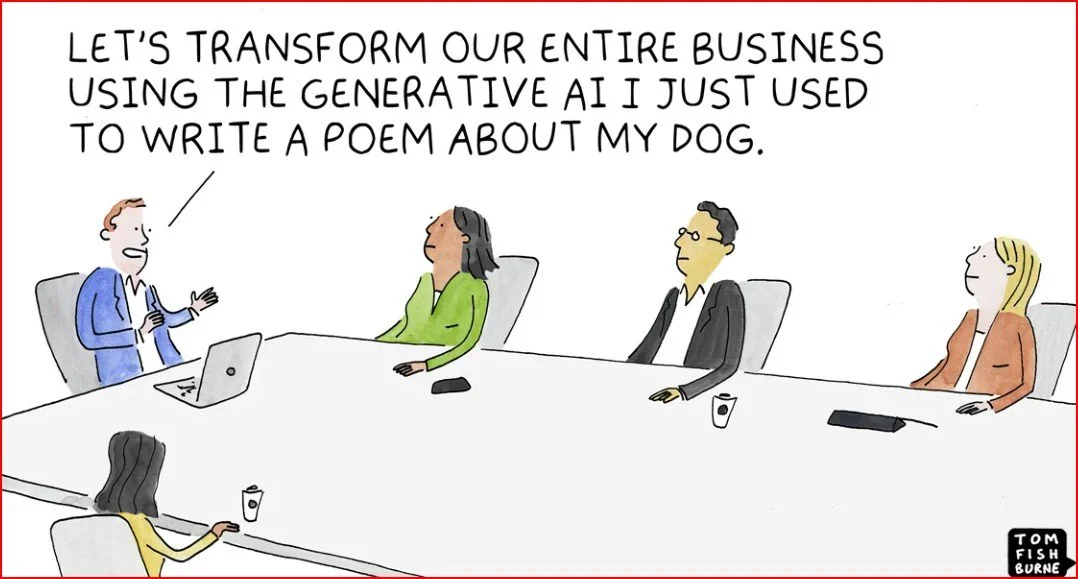
When Your A.I. Becomes Your CMO (Chief Meme Operator)
"I built a marketing team that never sleeps, never complains, and never stops asking if ‘we should A/B test that’—they're all GPTs. And they’re better than interns!"
By: Geektrepreneur
1. Welcome to the (Not-So) Future of Marketing
Ever dreamed of having a tireless, hyper-efficient marketing team that never complains, doesn’t need coffee breaks, and laughingly reads your mind? Enter: building your own GPT-powered Marketing Team, hosted by none other than ChatGPT itself (shameless plug—because obviously I wouldn't be here if I wasn't using it already).
Let’s dive into the PC world of AI marketing where “Team Human” takes a nap, and "Team GPT" turns into your marketing dream squad.
2. Why GPTs Make Better Marketing Assistants Than Certain Humans
a) Zero coffee addictions.
They don’t judge you at 3 AM when you're still tweaking the snappiest subject line. They’re available 24/7—no caffeine required.
b) They're endlessly customizable.
Thanks to the GPT Store, you can craft custom GPTs tailored to email copy, social media sass, or landing page brilliance—with zero coding needed (Reddit, Wikipedia).
c) They scale themselves.
Need an Instagram GPT, email GPT, and PPC GPT? Bam—three AI interns in one afternoon.
3. Let’s Meet Your A.I. Marketing Team
The CopyGPT: Lives for click‑bait headlines and witty tweets.
The DesignGPT: Calls DALL·E (now GPT Image 1 via GPT‑4o) its best friend and creates visuals faster than you can say “pixel-perfect” (Wikipedia).
The StrategistGPT: Thinks in macros—SEO, funnels, ad spend—actually runs pivot tables in its sleep.
The AnalyzerGPT: Reviews your campaign data, tells you you're killing it… or not (and does this quickly).
4. But Does It Work?
Absolutely. A field experiment using AI agents in marketing teams found 60% greater productivity per worker, 23% more time spent on content, and even creative image alignment—though AI still lags slightly in image quality unless the human steps in (Selzy, arXiv). So yes, GPTs make great teammates when humans and AIs play to their strengths.
5. Examples of Brands Already Rolling with the AI Squad
Unilever used AI to create digital twins for influencer campaigns—earning 3.5 billion social media impressions and bringing in 52% new customers (arXiv, The Wall Street Journal).
Urban marketers like Phoebe Gates and Sophia Kianni analyzed viral videos with AI, reverse-engineered their structure via ChatGPT, and boom—created tailored viral content for their fashion-tech startup Phia (businessinsider.com).
6. The Hilarious Truth: When AI Goes “Creative”
Ever had an AI insist on writing like Shakespeare during a product launch? No? Just me?
It’s like reminding the marketing team their soul’s stuck in a sci-fi rom‑com: heartfelt, kind of bizarre, but you can't look away.
7. Building Your GPT-Powered Marketing Team
Here’s a quick-start blueprint:
Define roles—copy, design, strategy, analysis.
Go to the GPT Builder (via ChatGPT) with prompts like "You’re an email‑campaign genius."
If you want shortcuts, check out top Marketing GPTs with tools like Roast My Landing Page, Digital Marketing Strategist Pro, Weavely Forms GPT, or SEO-Optimized Article GPTs (weavely.ai).
Get results—fast brainstorming, creative visuals, SEO outlines, campaign setups, and even Google Analytics walkthroughs—all from GPTs in one place.
8. But Remember… AI Slop Exists Too
Beware: AI outputs that feel hollow, soulless, or just… “off.” That dreaded term: AI Slop—regurgitated, bland, lifeless content that misses the spark (looking at you, generic AI-generated ads with zero human personality) (Wikipedia).
The cure? Use GPTs for ideation, drafts, and magic—but always add your signature human touch. That’s where the soul meets the algorithm.
9. Your Hilarious, Human‑In‑The‑Loop GPT Team in Action
Picture this scenario:
DesignGPT whips up a meme in seconds.
CopyGPT uses that meme to draft three snarky captions.
StrategistGPT picks the best one based on timing and platform data.
AnalyzerGPT reports back that one snagged triple the engagement—without you lifting a finger (except maybe to sip your latte).
It’s a beautiful dance of artificial wit with a human beat.
10. Final Pep Talk and Parting Punchline
Geektrepreneur’s verdict: If your marketing team needs 24/7 energy, endless creativity, and no coffee runs, GPTs are your co-workers of the future. But remember, even the cleverest GPT can still crank out “AI slop.” So, stay human, stay quirky, and let your personal flavor shine through.
Because in the end, marketing isn't just about reaching people—it’s about reminding them to laugh, think, and click “share,” even when it’s a robot whispering in their ear.
So go on—build your GPT marketing army, give them witty names, and let them loose. Just be sure to read those punchlines before sending them into the wild.
Happy GPT‑ing and may your ROI be as high as your humor quotient!
— Geektrepreneur
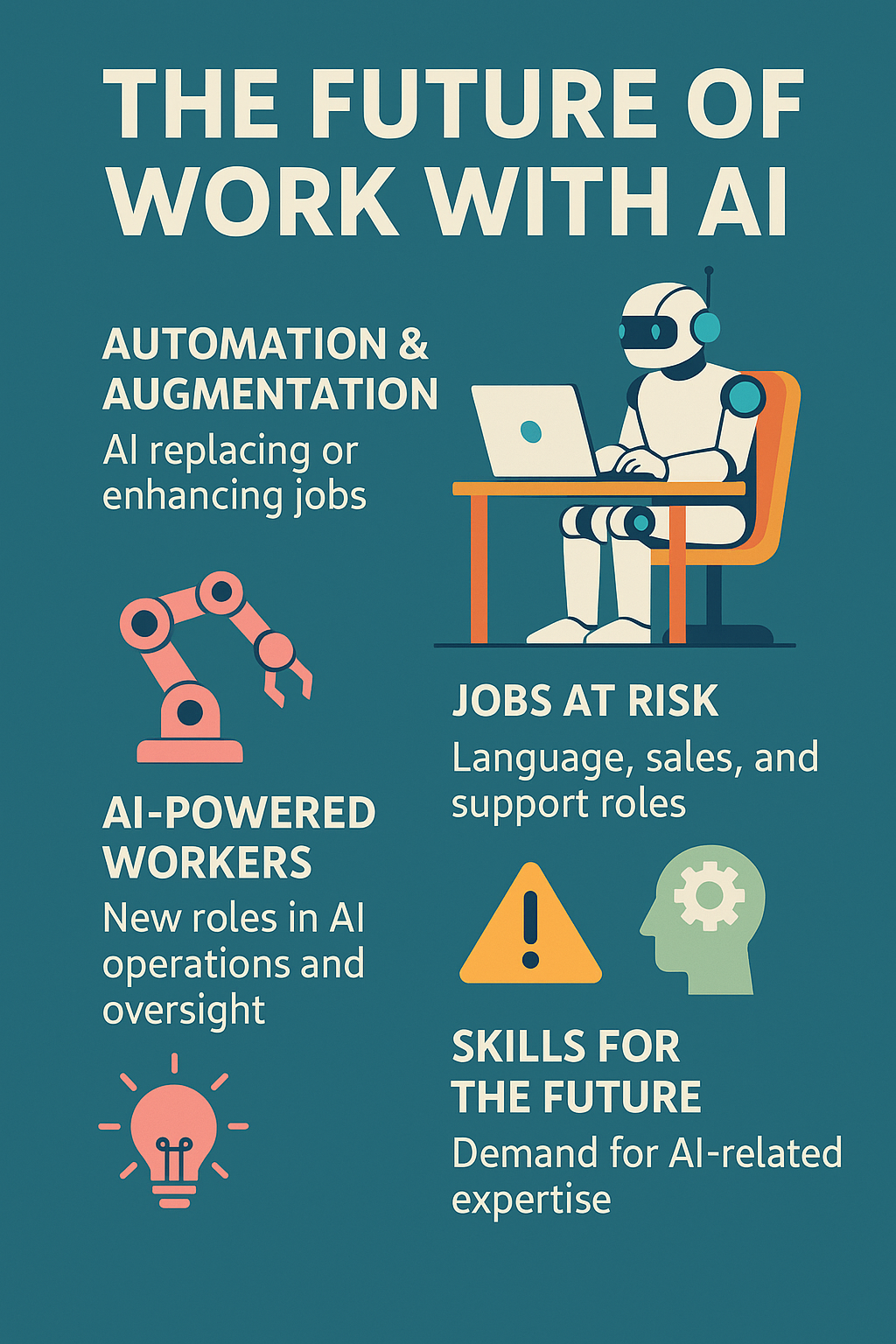
The Future of Work in 2025: Reimagined by AI By: The Geektrepreneur
"In 2025, you won’t be replaced by AI—but you might be replaced by someone who knows how to use it better. From vibe coding to agentic AI coworkers, the future of work isn’t about survival—it’s about smart upgrades. Welcome to the era where coffee breaks are still human, but everything else is semi-autonomous."
Welcome back, fellow tech geeks! Strap in as we explore how AI is redefining work in 2025—making cubicles obsolete, boosting human creativity, and turning career planning into a game of chess against a super-smart machine. AI jobs surged 25% in 2025. If you’re not learning how, you’re falling behind.”
🔍 1. From Tools to Team Members: The Reign of Agentic AI
Forget basic chatbots—2025 is about agentic AI agents that can observe, plan, act, and adapt with minimal human oversight. McKinsey calls these super-agents capable of customer interactions that extend all the way through payment, fraud checks, and fulfillment StartUs Insights+1StartUs Insights+1Wikipedia+2McKinsey & Company+2Wikipedia+2.
Agentic AI now powers everything from customer service and cybersecurity to enterprise workflow management, making human-machine teams the norm—not the exception Wikipedia.
📈 2. Job Market Shake-Up & Emergence of New Roles
In Q1 2025 the U.S. had 35,445 AI-related job listings, a 25% rise over 2024. The median salary? A cool $157K/year—and climbing Autodesk News+3veritone.com+3AP News+3.
PwC’s 2025 Jobs Barometer found that wages in AI-exposed industries grew twice as fast as others—and even automatable jobs gained value PwC+1PwC+1.
Demand is booming—2025 saw a 7× spike in job titles featuring “AI” compared to 2024. Meanwhile, hiring for entry‑level and admin roles plummeted by 75–84%—they're being swallowed by intelligent systems Ravio.
🧠 3. Skills Now Required: Beyond Coding
To thrive in 2025, the classic checklist of degrees is taking a back seat. Employers crave skills like AI reasoning, workflow orchestration, and agent supervision Morgan StanleyEY.
New roles are emerging: agent‑workflow architect, AI ethicist, multi‑agent team lead, and vibe coder—yes, vibe coding is a thing now. It’s where developers let LLMs generate code while they guide direction and test logic in real time Wikipedia.
🛠️ 4. Industries Most Affected & Most Resilient
A Microsoft study analyzed 200,000+ interactions and identified 40 most vulnerable jobs—think customer support, translators, repetitive-language roles—and 40 quite safe ones, like caregivers and strategists, that demand emotional intelligence and complex judgment The Times of India+1The Economic Times+1.
Despite job losses, the WEF reports 11 million jobs created globally by 2025, versus 9 million displaced, as firms choose reskilling over layoffs in 60% of cases World Economic Forum+1IT Pro+1.
🧩 5. AI Market Forces: Lower Costs, Greater Accessibility
According to Stanford’s 2025 AI Index, inference costs for GPT‑level models dropped ~280× between late 2022 and late 2024. Hardware became 30% cheaper and 40% more energy efficient per year—making AI accessible to everyone from bootstrappers to unicorns Stanford HAI.
Meanwhile, cloud migrations, custom inference chips, and ROI-monitoring systems are the backbone of enterprise AI expansion—especially where logic and reasoning matter most Morgan Stanley.
🏥 6. Work Culture & Wellness Reimagined
AI is making work healthier: automating tedious tasks, filtering emails, summarizing meetings, managing schedules—less burnout, more brain power. Wellness AI tools also personalize support and foster inclusion for diverse workforces Wikipedia.
EY notes that AI is shifting productivity culture—emphasizing human-machine collaboration, real-time workflow orchestration, and meaningful innovation over chaos-driven change EY.
📉 7. Real-World Trends & C-Suite Moves
Tony Huang of Nvidia said it bluntly: “You can’t raw dog it—if you’re not using AI, you’ll be outpaced.” At Nvidia, all engineers now leverage AI tools to turbocharge productivity and innovation PC Gamer.
Amid widespread layoffs in 2025, many firms cited AI as a driver—shifting bandwidth to automation while still hiring high-tier AI roles AP NewsThe Times of India.
Y Combinator predicts ultra-lean AI startups and demand for infrastructure supporting multi-agent systems, plus AI education for trades and public sector efficiency tools Business Insider.
🚀 8. TL;DR: Blueprint for Career Survival in 2025
What to EmbraceWhy It MattersAI agents & tools (Copilot, autonomous assistants)Automate grunt tasks, make you more strategicVibe coding & prompt fluencyLet AI bootstrap prototyping while you guide logicNew roles: agent‑workflow architect, ethicist, AI leadLeading human‑AI teams is the next evolutionFocus on complementary skills: critical thinking, ethics, communicationThese remain uniquely human and highly compensatedLifelong learning via microcredentials & bootcampsDegrees don’t cut it anymore—skills do
🧾 The Geektrepreneur Verdict
If you're panicking that AI is stealing your job, take a breath. 2025 is about humans + machines, not replace-or-be-replaced. High‑wage entry roles may vanish, but strategic AI-native careers are skyrocketing.
Adopt AI, reskill fast, rethink your role—and soon you’ll be the brain behind the AI backbone. Your value isn’t in typing—it’s in designing, critiquing, guiding, and improving.
So go ahead—embrace vibe coding, lead a team of agents, and make the AI wave work for you, not the other way around. After all: intelligence is artificial, but opportunity is all human.
Meet Trae AI: The Cool Kid from ByteDance
Imagine VS Code, Copilot, and ChatGPT had a baby—then ByteDance gave it away for free. That’s Trae AI. It codes, it scaffolds, it spins up entire projects with premium models like GPT‑4.1 and Claude 3.7… while Cursor and Replit weep in the corner. Trae isn’t just an IDE—it’s the Tony Stark suit of vibe coding. And yes, it is still free.
🚀 Meet Trae AI: The Cool Kid from ByteDance
Trae AI (aka TraeIDE) is ByteDance’s answer to AI-powered coding. It's a free, fully‑fledged IDE—think VS Code meets ChatGPT—shipped with beefy models like GPT‑4.1, Claude 3.7, Gemini 2.5 Pro, and DeepSeek all at your fingertips, no credit card required (LinkedIn).
OS Support: Mac since launch; Windows added February 17, 2025; Linux coming soon (TraeIDE).
Core features: Live code editing, project management, GitHub integration, AI chat assistant, terminal + file system—all baked in (TraeIDE).
The kicker: “Builder Mode” spins up entire project structures—think scaffolding on steroids.
😎 Why You’ll Love (or Love to Mock) Trae
Premium Models… for Free
It’s like showing up to a Ferrari dealership in flip‑flops. Trae AI gives you GPT‑4.1, Claude 3.7, Gemini 2.5 Pro—for free—no usage caps, no hidden text‑mining fees (LinkedIn).Custom AI Agents on the Fly
Call them “little Trae elves.” Set a personality, grant them powers (web search, DB access, docs), and let them code alongside you (LinkedIn).Web Context Isn’t Ancient History
Forget stale training data—Trae can fetch fresh docs and incorporate them into its context via MCPs (Model Context Protocol) (Zapier, LinkedIn).Builder Mode = Peace of Mind
Handy if you hate boilerplate. Trae builds project skeletons for you, step-by-step, letting you actually focus on the cool stuff (Reddit).Privacy & Catch?
No subscription, but “you retain rights, while Trae reserves the right to improve its service via inputs” is standard fare—nothing to alert your lawyer about (Reddit, Hacker News).
🔍 Trae vs The Vibe‑Coders: How It Compares
Let’s roll out the red carpet and compare Trae with the cool club: Replit AI, Lovable, Cursor, and Make.com.
1. Trae vs Cursor
Context memory: Trae boasts larger context windows than Cursor, but Reddit users report it sometimes “loses track between chat and code” (Medium, Reddit).
Autocomplete quality: Cursor’s “Tab” finishing still takes the cake.
User verdict:
“No, Trae Builder is not superior ... it tries to juggle code/chat and loses it” (Reddit).
Still, some love Trae's minimal UI and zero‑cost model stacking (Reddit).
2. Trae vs Replit AI
Depth vs Simplicity: Replit is beginner‑friendly with instant scaffolding; Trae gives you full control with local VS Code power (Zapier).
Cost and flexibility: Trae throws you premium models for free; Replit charges ~$30/month for agent checkpoints (Zapier).
Best for: Replit is ideal for quick MVPs; Trae suits tinkerers and code purists.
3. Trae vs Lovable
No‑code vs Low‑code: Lovable is a no‑code dream; drag‑and‑drop simplicity. Trae is all about code—with AI scaffolding as bonus (Reddit, Sidetool).
Ideal audience: Lovable = non‑coders who want results fast. Trae = coders who want control—plus a bunch of AI backup.
4. Trae vs Make.com
Make.com isn’t mainly AI-driven; it's a powerful no‑code automation platform. Trae, on the other hand, is AI-first and code-rich. Think “Zapier with neural-network assists.” Not really an apples-to-apples comparison, but both belong in your toolkit if you're automating or coding your flow.
🧠 The Final Scoreboard
Feature Trae AI Cursor Replit Lovable Price FREE mult‑model access Free tier; $20/mo for Pro ~$30/mo Varies (likely paid) Models Included GPT‑4.1, Claude 3.7, Gemini2.5+ Claude, GPT models GPT‑4o, Claude Sonnet Likely open access IDE style Local (VSCode) Local (VSCode fork) Online cloud IDE No‑code browser UIs Scaffolding tools Builder Mode + MCP agents Chat + autocomplete Auto guards, project templates drag‑drop + simple logic Customization granularity 🟢 High (full code access) 🟢 High (with code control) 🔶 Medium 🔴 Low (limited code tweak) Best For Experienced devs, tinkerers Coders wanting AI boost Beginners & quick prototyping Entrepreneurs & non‑coders
🎉 Why I’d Use Trae (And You Might Too)
It’s like Copilot… without the bill. A free Copilot-level tool that plays nice with your local setup.
Agent superpowers. Whether you spin up a DB‑saavy agent or a doc‑searching librarian, Trae lets you customize.
Project starter. Boilerplate quitting? Builder Mode handles it.
Future signals. This tool is lightweight, powerful, and no‑charge. Even if monetized later, you’ll have gotten way more “bang” than “pay.”
🤖 But It’s Not Perfect
Memory mix-ups: Users say it forgets context mid‑session (David Melamed, LinkedIn, Zapier, TraeIDE, Stackademic, Wikipedia).
Autocomplete lags: Cursor still leads in slick inline suggestions.
Ownership/security concerns: ByteDance is behind it. Reddit caution hints at potential data usage models (Stackademic).
Platform limitations: Mac-first; Windows now supported; Linux is “coming soon” (TraeIDE, Stackademic).
😂 Geeky Developer Anecdotes
“Trae – basically free Copilot… my personal favorite.” – r/ChatGPTCoding (Reddit)
“I find the UI really clean, and quite comparable to cursor IMO. It’s free right now if you want to try it out” – r/cursor (Reddit)
Translate that from coder-speak: “Trae’s got swagger without charging you.”
💡 Tips to Rock Trae
Stick to one big task at a time. Break Builder Mode projects into phases to avoid context confusion (Reddit).
Spin up multiple agents. Use one for search, one for DB, one for styling—get your own AI crew.
Layer in Open Router. Trae plays nice with Azimuth, Anthropic & more via Open Router API (LinkedIn).
Back up your code. Not yet open‑source, so keep local copies and clean logs.
💥 Final Verdict: Memorable, Smart—and Free?
Trae AI brings high-end AI models, powerful IntelliSense, and full code customization—with zero cost. Sure, it’s fresh, imperfect, and coming from the ByteDance galaxy, but it’s already striking the perfect chord between polish and power.
If you’re a seasoned coder:
Love Tron-esque control over your IDE? Use Trae.
Prefer UIs and simplicity? Use Lovable or Replit.
Want inline autocomplete jazz? Stick or start with Cursor.
Need business-grade workflows? Eventually, maybe Copilot or enterprise solutions.
But if you want the fast-emerging star in vibe coding that's totally unrestricted—and free? Trae AI is your ticket to coding nirvana.
Geektrepreneur’s Takeaway
Zero-dollar access to powerful AI models + environment control = a viral recipe. Trae’s not yet bulletproof, but it’s light years ahead price-wise and loaded with potential. Just steer clear of any data privacy apocalypse—and enjoy the ride!

Introducing String.com — The AI “Automation tool” to rule
Tired of duct-taping endless Zapier zaps or wrestling n8n flows that look like a Jackson Pollock painting? Meet String.com — the AI vibe coding tool that lets you build full-stack automation agents with a single prompt. It’s like having an AI band that jams your ideas into reality, no code, no stress, pure vibe.
So, you know those times when n8n flows look like someone threw code at a whiteboard during a caffeine-fueled hackathon? Or when Make.com scenarios feel like engineering by spaghetti diagram? Enter String.com, your AI-powered, vibe-coding superhero.
Created by Pipedream, String.com lets you conjure AI agents with one natural‑language prompt—no dev time, no glue code, no keys—and automagically handle tasks from Slack messages to Snowflake data crunching, GitHub monitoring, and beyond (youtube.com, producthunt.com).
In short: you prompt, and String writes, deploys, and manages actual working code, with OAuth-style integrations, built-in AI models (OpenAI, Anthropic, etc.), and even self-healing agents .
So how does it stack up against the old guard—n8n, Make.com, Zapier—and the vibe-coding dream team? Let’s dive in.
What is Vibe Coding, anyway?
“Vibe coding”—a term coined by OpenAI’s Andrej Karpathy—is coding by chill convo: you tell an AI what you want conversationally, it writes most of the code, and you drive the iteration. It’s like coding, minus the syntax panic attacks (youtube.com, medium.com).
Karpathy put it best:
“It’s not really coding—I just see stuff, say stuff, run stuff, and copy‑paste stuff, and it mostly works.” (medium.com)
But Stanford’s Andrew Ng warns us vibe coding can trivialize real software work — it’s still exhausting and needs discipline (businessinsider.com).
Meet the competition
Here’s our AI automation lineup:
n8n & Make.com
Powerhouses of workflow automation, popular for API connections and trigger‑action setups.
Pros: visual drag‑drop, lots of integrations.
Cons: clunky flows, YAML hell, setup complexity.
Zapier
Great for business automation.
Cheap, easy, but not ideal for true autonomy—Zap → nap.
Bolt.new, Cursor, Windsurf, Claude Code, Replit…
The vibe-coding editors: you prompt, they generate code, you tweak and deploy.
Focused on prototyping and apps, not agents that run autonomously forever.
Agentic‑coding platforms (e.g. Relevance AI, Agenthost, Pulze):
Let you build multi-agent systems, train, deploy bots, chatbots — more enterprise‑grade, more setup, more dev-dogfood.
Why String.com stands out
Prompt → running agent in seconds
One line prompt: “Watch GitHub, create Linear issues, and send Slack alerts” = done. With code. Auth baked in (geeky-gadgets.com, index.dev, producthunt.com).Built-in integrations with no API fuss
Snowflake? BigQuery? Discord? Google Sheets? It’s all there—String handles auth and token refresh. You just vibe (producthunt.com).Full-lifecycle flexibility
Create → test → iterate → deploy, all conversationally. Want sentiment analysis added? Prompt it. Want HTML parsing? Add it. Want it 10× faster than n8n? Apparently, yes (geeky-gadgets.com).Agents build agents
String is literally an AI tool to build AI agents—mind bending, right? One agent can deploy others, or upgrade itself. inception-level vibes (producthunt.com, linkedin.com).Enterprise-ready
It's not just “toy” code. These agents are used daily, in production, by paying customers—no fluff .
Side-by-side comparison
Feature n8n / Make.com/Zapier Vibe‑coding IDEs (Cursor, Bolt, etc.) Agentic platforms (Pulze, Agenthost) String.com Setup Visual flow, manual triggers Prompt in code editor, manual deploy Agent creation + LLM team setup Prompt → auth → deploy (1–2 min) Auth/API management Manual per step DIY via code, keys handled by you Fully integrated, but manual config Auth handled by platform Coding required Visual logic, some JS Code-heavy prompts Full config, training, orchestration Conversational prompts with auto code generation Iteration style Workflow editing Code + prompt loop Training cycles, agent tuning Prompt → test → adjust → redeploy, conversational Ideal for Basic integrations App prototyping Enterprise-grade bots Full-stack AI agents in minutes
Real-world use cases
Brand Monitoring
Prompt: “Monitor Hacker News for mentions of Company X, summarize articles with sentiment, post to Slack.” Boom—one chat, one agent, live.Auto‑issue triage
“Watch GitHub PRs, run test suite, label, and create Jira tickets if fail.” Agent deployed in minutes.Data sync agent
“Every morning, query BigQuery, format a report, and send email with visualization.” Done.
This isn’t “Zap a thing when that thing happens.” It’s full‑blown autonomous agents, from creation to deployment, managed conversationally.
The AI‑creators’ shout-out
Kudos to the folks building:
n8n, Make.com, Zapier — thanks for democratizing automation and making integrations accessible.
Bolt.new, Cursor, Windsurf (formerly Codeium), Lovable, Replit, Claude Code — masters of vibe-coding, making prototyping magical.
Pulze, Agenthost, Relevance AI — architecting enterprise agent ecosystems.
And of course the OG visionaries: Karpathy for coining vibe coding, OpenAI, Anthropic, and all model creators.
Without your innovations, none of this would be possible. String stands on your shoulders—cheers to the collective AI‑automation renaissance!
Caveats & what to watch
API updates: String handles non-breaking changes, but major shifts might need prompt tweaks (youtube.com, producthunt.com, geeky-gadgets.com, slashdot.org, completeaitraining.com, linkedin.com, digitalocean.com, medium.com).
Code quality: It’s great for deployment-level bots, but if you’re building highly optimized systems, you may still need developer reviews.
Security: As with all agentic tools, vet what agents are accessing.
Pricing: Free tier exists; full usage pricing is TBD, so check before building mission-critical infra.
TL;DR
String.com transforms “vibe coding” from experimental fun into full-fledged, autonomous agent orchestration. It’s strongly positioned at the intersection of no‑code ease, vibe-coding speed, and agentic power.
If you love no-code but need real agents → String.
If you're iterating UI protos → Cursor/Bolt etc.
If you're running an enterprise agent network → Pulze, Agenthost et al.
If you're gluing SaaS and calling it a day → n8n/Make/Zapier.
But stringing them all together in one natural-language prompt? That’s pure vibe artistry.
Geektrepreneur’s final riff
String.com is the song at the crossroads of vibe coding, no-code and agentic automation. It’s the kind of tool that makes you laugh—“we said one prompt, and we really mean one prompt.” If you're building AI-powered routines and tired of spaghetti flows, String deserves a look.
Big applause to everyone building the plumbing under this new AI world. The vibes are real, the code is real, and the future is absolutely under‑prompt control.
Blog written by Geektrepreneur for The Geektrepreneur.com—join the vibe coders.
How Small Businesses Generate Leads Using AI & Web Apps (Without Losing Their Minds)
In today’s digital-first world, small businesses are discovering that artificial intelligence (AI) and web apps aren’t just for tech giants—they’re powerful tools for attracting new customers, too. Forget cold calls and endless spreadsheets; smart automation now makes lead generation faster, easier, and (most importantly) less stressful.
With user-friendly AI tools, small business owners can automate repetitive tasks, personalize customer interactions, and identify promising leads without being overwhelmed by data. Web apps take the guesswork out of marketing—think chatbots answering questions 24/7, automated email campaigns, and apps that track who visits your site in real time.
The best part? You don’t need a tech degree to make these tools work for you. By choosing simple, affordable solutions tailored to small businesses, owners can focus on what they do best: building relationships and closing deals. AI and web apps let you scale your efforts, boost productivity, and generate high-quality leads—without losing your mind in the process.
Written by: The Geektrepreneur
Let’s face it: lead generation is about as fun as debugging code on a Friday night with a pizza that’s gone cold. You know you need it, but it’s a grind. For small businesses, “leads” are the lifeblood—the future customers, the newsletter subscribers, the next five-star reviewers on Yelp. But how do you snag these elusive internet creatures without emptying your wallet or burning out your team?
That’s where Artificial Intelligence (AI) and web apps swoop in, wearing their capes (or, more realistically, sporting fancy dashboards). Today, we’re taking a tour through the digital lead-gen galaxy. Buckle up: no jargon, just results—and a few tech jokes along the way.
Why Lead Generation Feels Like Leveling Up in a Video Game
First, let’s talk about the boss battle: finding leads is hard. You’re up against spam filters, short attention spans, and competitors who seem to run on energy drinks and caffeine-powered chatbots.
The old-school way? Cold calls, flyers, networking events, and—gasp—manual data entry. It’s like using dial-up in a fiber-optic world. With AI and web apps, though, you automate the tedious parts and get a serious XP boost.
Let’s see how it works.
1. Smarter Prospecting: Ditch the Guesswork
Remember the days of tossing spaghetti at the wall to see what sticks? AI says, “Let’s just use a thermal scanner, find the sticky spots, and microwave the pasta while we’re at it.”
AI-driven prospecting tools like Apollo, Lusha, or even good ol’ LinkedIn Sales Navigator, can sift through oceans of public data to pinpoint your ideal customer. They analyze profiles, behavior, company size, job title, and even recent news. You get hyper-targeted lists, not endless spreadsheets.
Example:
Let’s say you run a boutique marketing agency for pet groomers (because someone’s got to market Fluffy’s Instagram). Instead of calling every number in the Yellow Pages, an AI tool finds business owners who have just opened a grooming salon, recently posted about their pets, or interacted with dog-related hashtags.
Result: Less guesswork, more “heck yes!” replies.
2. Chatbots: Your 24/7 Geeky Sales Assistant
Some folks picture chatbots as bland robots, but the best ones are more like quirky sidekicks. AI chatbots (think ChatGPT, Intercom, Drift) can qualify leads, answer questions, and book appointments—all while you sleep or binge-watch the latest Marvel series.
How it works:
A visitor lands on your website at 3:00 AM (because apparently, no one sleeps anymore).
Your chatbot pops up: “Hey! Looking for the best cat shampoo deals? I’ve got you covered.”
The visitor interacts, drops their email, and boom—you’ve got a warm lead before you’ve even had your first coffee.
AI chatbots don’t just respond; they learn. They track which questions people ask most, what pages convert best, and how to keep things conversational (or at least not as awkward as that last team Zoom call).
3. Automated Email Sequences: Nerdy, But Effective
Emails are the Spock of the digital marketing universe—logical, sometimes overlooked, but always crucial. AI-powered email tools (like Mailchimp, ConvertKit, or SmartWriter) can craft and send personalized sequences based on user behavior.
What does this mean for you?
No more blasting the same boring email to everyone.
AI writes subject lines that actually get opened (no more “Quick question…” snoozers).
Sequences change based on what the recipient does. Click a link? They get more info. Ignore it? The AI tries a different approach.
For the ultimate nerd move, some tools even predict the best time to send your emails based on when people usually open them. It’s like time travel, minus the paradoxes.
4. Smart CRM Systems: The Command Center
Customer Relationship Management (CRM) platforms aren’t new, but with AI, they become sentient (just kidding—please don’t unplug your router in panic). Tools like HubSpot, Salesforce, or Zoho now:
Score your leads automatically (no more Excel wizardry).
Predict which prospects are most likely to convert.
Remind you to follow up, send birthday wishes, or even suggest what to say based on previous conversations.
A good CRM is like your Millennium Falcon dashboard: everything in one place, faster than making the Kessel Run in twelve parsecs. (Yes, Han shot first.)
5. Social Media Automation: Engage While You Nap
You know that feeling when you post on social and tumbleweeds roll by? AI tools like Buffer, Hootsuite, or Sprout Social can:
Find the best times to post.
Suggest trending hashtags and keywords.
Auto-reply to DMs and comments (politely, unless you select “snarky bot mode”—sadly, not available…yet).
Some even identify who is most likely to engage with your posts, so you can focus your efforts on real humans, not bots with suspiciously perfect abs.
6. Lead Capture Forms: No More Clunky Forms, Please
Lead capture used to mean endless fields: Name, Phone, Shoe Size, Mother’s Maiden Name (okay, hopefully not). Modern AI web apps simplify forms and personalize them on the fly:
Ask just enough questions to qualify a lead, then auto-fill the rest from public data.
Adapt the next question based on previous answers (like a friendly, less-annoying Riddler).
Integrate with your CRM instantly—no more copy-pasting required.
Tools like Typeform, Jotform, or even Google Forms with smart add-ons can boost conversion rates simply by not making visitors want to rage-quit.
7. AI-Powered Content Marketing: The Secret Sauce
Let’s say your leads hang out on Google. Great! Now you need to be where they are. AI-powered tools like Jasper, SurferSEO, or Deep Seek can:
Find the best keywords in your niche.
Write blog posts (like this one!) that actually rank.
Optimize headlines, meta descriptions, and even the jokes (well, almost).
With AI, you’re not guessing what content your audience wants—you’re serving it up before they realize they were hungry.
8. Niche Discovery: Find Your Tribe
What if you’re not even sure where your leads are hiding? (Spoiler: They’re probably lurking in some oddly specific Facebook group.) This is where niche discovery tools come in—apps that use AI to analyze the web and spotlight untapped markets.
For example, maybe you’re looking for people obsessed with 3D printing miniatures of famous programmers. (Hey, no judgment!) AI tools can scan forums, subreddits, and trends to tell you exactly where to focus your efforts. This kind of laser-targeting is what turns a good lead gen campaign into a great one.
The Power Move: Stack Your Tools
Here’s where things get fun—combine your favorite AI and web apps into a lead generation super-stack:
Use a niche discovery tool to find your audience.
Connect a smart CRM to manage your outreach.
Automate your emails, social media, and chatbot conversations.
Measure everything, iterate, and watch your calendar fill up with actual interested humans.
It’s like assembling your own Avengers squad—just with fewer capes and more Chrome tabs.
Wrapping Up: Go Geek, or Go Home
Here’s the deal: lead generation doesn’t have to be soul-crushing or expensive. Thanks to AI and clever web apps, small businesses can compete with the big players—and look good doing it. Automate the grunt work, personalize your outreach, and let the robots do the heavy lifting (while you take the credit).
Oh, and if you’re serious about discovering new, profitable niches with the least amount of guesswork and the most amount of nerdy satisfaction, I’ve got just the tool for you.
Final Note: Ready to Nab Your Niche?
Why waste hours scouring forums and spreadsheets when you could let AI do it for you? Check out Niche Nabber—the web app built for geeky entrepreneurs, curious creators, and anyone who loves a shortcut (but hates cutting corners).
Just click this button or link: https://nichenabber.com
Go ahead. Let AI find your next best market while you sip coffee, code, or finally organize that cable drawer. The future of lead gen is here—and it’s got a sense of humor.
Blog written by: Geektrepreneur
Let me know if you’d like any tweaks, a specific meta description, or an email draft to help promote this blog!
Best A.I. Automation Tools – June 2025 Edition
Welcome to the age of effortless efficiency, where Artificial Intelligence isn’t just a buzzword—it’s the boss of your to-do list. In our June 2025 edition, Geektrepreneur explores the crème de la code of AI automation tools that are transforming how businesses, coders, and solo hustlers get things done. From RPA juggernauts like UiPath to agentic maestros like SnapLogic, and smart-as-a-whip testers like Qodo, this list is your gateway to working smarter—not harder. Whether you're wrangling data, testing code, or launching ads in your sleep, these tools aren’t just helpful—they’re downright indispensable.
By The Geektrepreneur
Nothing says "we’re living in the future" like handing off your to-do list to an AI intern that actually delivers—without health insurance or office politics. As of June 2025, there’s a constellation of AI automation tools out there, each vying for a spot in your workflow. Let’s break down the top players across categories: software testing, agentic assistants, RPA, marketing, and coding.
1. UiPath (RPA powerhouse)
What it is: A stalwart in robotic process automation, UiPath uses AI to mimic human interactions across desktop and web—think invoice processing, ERP updates, ticket routing.
Why it rocks: Its AI-enhanced Studio + Robots combo can orchestrate entire workflows visually. They even offer certification via UiPath Academy.
Game-changer moment: They’re making RPA smarter with machine vision and document understanding—ideal for structured business environments.
2. SnapLogic
What it is: Low-code, agent-powered iPaaS—data pipelines, API flows, and business logic linked together by AI agents.
Why it rocks: User-friendly AgentCreator leaps into creating AI agents for complex orchestration, combining business logic with LLM smarts.
Game-changer moment: Enterprises can automate beyond workflows—integrating AI assistants directly into apps.
3. Qodo (formerly CodiumAI)
What it is: AI-powered code assistant and test generator embedded in your IDE.
Why it rocks: Qodo builds, reviews, and tests code; supports ChatGPT-style chat, test generation, and even automated code reviews.
Game-changer moment: Developers can ship with confidence—IDEs now auto-suggest, auto-test, auto-approve.
4. Playwright
What it is: Microsoft’s cross-browser automation/test framework that’s taken advantage of AI in routine testing.
Why it rocks: Not strictly “AI”—but when paired with AI-driven test tools, Playwright’s built-in waits, selectors, and test runner make automation a breeze.
Game-changer moment: Auto-healing tests + AI-generated edge-case scripts = less brittle test suites.
5. Functionize / TestRigor / Autify et al. (AI‑powered test automation)
What it is: Intelligent QA platforms that build and maintain tests from plain-English instructions.
Why it rocks: Minimal flakiness, prompt-driven test creation, and autonomous test maintenance deliver ROI fast.
Game-changer moment: Teams save massive time on test writing and upkeep—81% of engineering teams already use AI for QA .
6. Omneky
What it is: AI-native ad platform automating creative generation, A/B testing, and omnichannel deployment.
Why it rocks: Generates dozens of tailored creatives, funnels them across channels, and optimizes surprisingly well—without Photoshop or a media buyer.
Game-changer moment: A solopreneur’s dream: design, launch, iterate—done.
7. Gupshup
What it is: Conversational AI + multi-channel bot orchestration, now with agentic capabilities.
Why it rocks: Auto Bot Builder lets you spin up chatbots from docs/URLs; its agents can manage real workflows and route intelligently.
Game-changer moment: Enterprises can deploy LLM-driven bots fast, across SMS, WhatsApp, Teams, Alexa—even Slack.
8. Zapier Central (AI Agent Builder)
What it is: From Zapier’s central console: custom AI agents that automate workflows across web apps—no code.
Why it rocks: Use plain English to train agents to monitor your inbox, update tasks, schedule meetings—AI meets no-code magic.
Game-changer moment: Zapier just got conversational—and ready to execute your commands across your stack.
9. Microsoft & OpenAI AI Agents (e.g., Copilot + Azure)
What it is: Agentic AI assisting with code, emails, documents, analytics—seamlessly into products like Word, Outlook, GitHub Copilot, Azure OpenAI.
Why it rocks: Insider access to some of the most powerful LLM-powered agents on the planet, integrated end-to-end.
Game-changer moment: From writing Excel macros to debugging code, you're using a personal AI teammate with enterprise backup.
10. Hebbia
What it is: Knowledge-centric AI for financial research—analyzes filings, builds models, drafts memos.
Why it rocks: Not just generic AI—Hebbia is a tailored research agent that behaves like a smart junior analyst.
Game-changer moment: Firms like BlackRock and KKR are using it to accelerate analysis and redefine advisory models.
Why Agentic AI Is the 2025 Spotlight
We're not just scheduling tweets anymore. Agentic AI—tools that act, decide, and execute without humans hovering—are dental surgery-level precise.
Meta, Amazon, Google, OpenAI, Microsoft, Deloitte, EY, KPMG, Citigroup, and more are all drilling into agentic AI—the race is on (theverge.com, businessinsider.com).
Tools like KPMG Workbench and Citi AI Suite are embedding agents across workflows today (businessinsider.com).
They're not toys—these systems are autonomous, do multi-step tasks, and are being trusted in serious business processes. But like handing keys to your car to your hyper-intelligent nephew—you want oversight.
How to Choose: Match Tool to Task
Use Case Best Tool(s) Why It Wins Repeatable enterprise workflows UiPath, SnapLogic, Zapier Central Low-code, scalable, and cutting out manual drudgery AI-powered agents & bots Playwright+Functionize, Gupshup, Microsoft Azure agents Reliable, testable, chat-driven agents Marketing & creative automation Omneky Ad creation, campaign deployment, analytics – autopilot Code/test automation Qodo, Functionize, Autify, TestRigor Full dev cycle coverage—from code to tests Knowledge-heavy analysis Hebbia Deep domain AI for research-level tasks
Testing the Waters: How to Pilot
Start small: Identify one high-repetition workflow (e.g. weekly report prep, chatbot FAQ) and automate it.
Track time saved: Focus on hours reclaimed—not just lines of code or campaigns launched.
Monitor AI drift: Audit outputs weekly to prevent hallucinations or process breakdowns.
Layer in feedback loops: Enable humans to review agent decisions midstream—don’t fully cut the cord.
Document learnings: Share successes (e.g., “Saved 8 hours/month”) to build adoption momentum.
Caveats & Red Flags
Job vs Job-shift: As routine tasks vanish, new roles—AI trainer, custodian, prompt engineer—will ONLY thrive if you invest in people.
Ethics & Hallucinations: Always embed guardrails—especially for customer-facing or regulated processes.
Security: These tools connect deeply into your systems. Vet their compliance and access controls.
The 2025 Takeaway
We’re at a turning point: not just smarter tools, but smarter, autonomous actors blending into our lives and businesses. Whether you're a scrappy solopreneur or Fortune 500 exec, the trick isn't in having AI—it’s empowering it smartly. Shape it, use it, but don’t be shaped by it.
Cut through the noise, pick the tools that align with your work, and guard the process. Your future self—with 10+ fewer hours buried in email—will thank you.
Quick Recap: Top 10 A.I. Automation Tools (June 2025)
UiPath – RPA with smart AI workflows
SnapLogic – Agentic data & app integrator
Qodo – Code + test autopilot in IDE
Playwright – Browser automation made stronger with AI
Functionize/TestRigor/Autify – Prompt-driven QA
Omneky – Auto ad generation & launch
Gupshup – AI-powered, multi-channel bots
Zapier Central – Friendly no-code AI agents
Microsoft/OpenAI Agents – Enterprise-grade copilots
Hebbia – Research-savvy AI analyst
Enjoy giving your tasks to these AI stand-ins. Just don’t let them unionize. 😉
Copyright vs. Generative AI on YouTube: The Geektrepreneur Breakdown 🎥💥
Discover how copyright laws clash with AI-generated content on YouTube. From strikes to fair use, Geektrepreneur breaks down everything creators need to stay compliant and creative in 2025.
1. Human vs. Machine Authorship: Who Claims It? 🧠⚙️
U.S. Copyright Office stance: Only human-authored works get protected. AI-only creations? No copyright. (youtube.com, en.wikipedia.org)
Spoiler: A comic fully made by AI lost its copyright. Human tweaks? Only those are protected.
Takeaway: Want ownership? Step in and own your AI outputs—editing, curating, or remixing counts.
2. Training Data: The Hidden Thief 🕵️♂️🔍
Must-know: AI models train on huge data dumps—often copyrighted stuff.
Legal battles: Getty vs. Stability AI in the UK is underway (techradar.com, en.wikipedia.org, reuters.com), while Disney & Universal recently sued Midjourney for ripping off iconic characters (think Darth Vader and the Minions) (apnews.com).
Future alert: U.S. legislators want AI makers to disclose copyrighted materials used in training. The Generative AI Copyright Disclosure Act has arrived. (en.wikipedia.org)
3. YouTube’s Playbook on AI Content 📺✅
Transparency is king: YouTube now requires creators to tag “synthetic content” when AI alters something to look real—like deepfakes or cloned voices (blog.youtube).
What doesn't need a tag? Simple scripts, thumbnails, backgrounds, or fuzzy effects—no “AI stamp” required.
The big picture: Labeling helps avoid misinformation and builds audience trust.
4. DMCA Strikes Aren’t Just for Humans ⚠️
YouTube issues copyright strikes based on takedown notices—even if your content was AI-generated. Three strikes = channel nuked. (reddit.com)
No protective bubble: You might argue “public domain” for AI art, but others can still file and snag strikes.
5. Fair Use: AI's Legal Safety Net? 🧩⚖️
Some AI tool developers claim training on copyrighted content is “transformative” and thus fair use.
But critics argue: if AI outputs mimic copyrighted styles or content, that’s direct competition and possibly infringement (youtube.com, en.wikipedia.org, en.wikipedia.org).
Fair use = sketchy: Courts are hesitating to broadly apply it to AI training.
6. Global Laws to Watch 🌍
UK: Has “computer-generated” category—human creators are the safety net (en.wikipedia.org).
U.S.: Proposed laws requiring AI companies to list used copyrighted works before public release (en.wikipedia.org).
Pro tip: Policies across countries vary, but smart creators stay ahead of the curve.
7. What This Means for YouTube Creators
AI Use Case Should You Tag? Copyright Risk Best Practice AI voiceovers or deepfakes ✅ Yes 🚩 Yes Always tag “altered content” and get permissions Scriptwriting aid ❌ No ⚠️ Minor You’re good—but don’t copy text from others AI thumbnail or concept art 🤷 Maybe ⚠️ Mild AI image? Tag if human-likeness; else no Remix AI visuals ✅ Likely 🚨 Yes Edit heavily and attribute clearly Self-voiced AI narration ❌ No ✔️ Low Standard tool use—no tag needed
8. Top Tips to Protect Your YouTube Channel
Label transparently: Use YouTube’s “altered content” flag whenever AI simulates realism. No tag = red flag.
Proof of transformation: Keep source drafts and editing logs—helpful if Content ID or strikes threaten your video.
Get permissions: If using copyrighted clips or voices, license them. • Consider royalty‑free or Creative Commons content—just follow the terms!
Monitor legal trends: Watch Midjourney vs. Disney or Getty vs. Stability AI—landmark rulings may rewrite the rulebook.
Stay ethical: Misleading audiences with fake reality content? That’s against YouTube policy and public trust. Not worth it.
9. Why This Matters: Bigger Picture
AI is not magic law: Just because AI wrote it doesn’t make it free of rights.
Intellectual property matters: Creators invest time, emotion, money. AI must respect that.
Trust = sustainable growth: Transparency attracts loyal subscribers—not strike spam.
10. Looking to the Future
Policy shifts: Expect more rules—especially around transparency and training data disclosure.
Licensing boom: AI companies may pay to use copyrighted content.
Creator control: Tools may emerge to guard your content from being sucked into AI training sets.
Final Takeaway from Geektrepreneur 🚀
Be smart, be proud, be transparent.
Yes, AI can supercharge your creativity—but it doesn't override ethics or legal sense. Tag responsibly, credit properly, and evolve alongside the policy landscape. You’ll build a YouTube channel that thrives in the AI era—and stays strike-free. 💡
🔁 Viral Image Use:
Post the image above with these captions:
“AI helped me create... but humans still sign the checks. ✍️ #AI #Copyright #YouTube”
“When your AI voiceover sounds real—don’t forget the ‘altered content’ tag! 🛠️ #AIethics”
Geektrepreneur signing off—stay clever, stay compliant, and may your AI-powered channel fly high without legal turbulence.
Written by: Geektrepreneur

Runner H: The AI Agent That Executes, Not Just Answers
Tired of AI that just chats? Meet Runner H—the AI agent that acts.
From planning your trips to updating your CRM, Runner H doesn’t just suggest—it executes. Discover how this cutting-edge tool is transforming workflows and boosting productivity in our latest blog.
Read now: https://runner.hcompany.ai
#AI #Productivity #Automation #RunnerH #Geektrepreneur
Introduction: From Chatbots to Action Bots
In the ever-evolving landscape of artificial intelligence, we've witnessed a transition from simple chatbots that provide information to sophisticated AI agents capable of executing complex tasks. Enter Runner H, developed by the innovative minds at H Company—a French AI startup aiming to redefine productivity through agentic AI. Runner H isn't just another AI assistant; it's a powerhouse designed to automate workflows across various platforms, turning your commands into actions.(en.wikipedia.org, aiagentindex.mit.edu)
What is Runner H?
Runner H is an AI-powered agent that orchestrates tasks across web applications, documents, spreadsheets, and more. Unlike traditional AI tools that require multiple prompts and manual interventions, Runner H streamlines processes by understanding natural language instructions and executing them autonomously. Whether it's managing your calendar, updating your CRM, or planning a trip, Runner H handles it all with minimal input.(linkedin.com, hcompany.ai)
Core Features That Set Runner H Apart
1. Agent Orchestration
Runner H employs a fleet of specialized AI agents that collaborate to plan, build, and deliver tasks in sync. This orchestration ensures that complex workflows are handled efficiently, reducing the need for human oversight.(hcompany.ai)
2. Deep Application Integration
Seamlessly connect Runner H with tools like Slack, Notion, Google Sheets, and various APIs. This deep integration allows Runner H to operate within your existing tech stack, executing tasks directly without the need for constant context switching.(hcompany.ai)
3. Knowledge Uploads
Upload PDFs, documents, and data files, and Runner H will convert them into contextual memory. This feature enables the AI to provide more accurate and relevant outputs based on the information you've provided.(hcompany.ai)
4. Autonomous Payments (Coming Soon)
In its upcoming features, Runner H will be able to make purchases on platforms like Amazon and Shopify or subscribe to SaaS services autonomously. This capability aims to further reduce manual interventions in procurement processes.(hcompany.ai, pwraitools.com)
Real-World Applications: Runner H in Action
Trip Planning
Planning a trip to Japan? Runner H can gather comprehensive travel information to create personalized itineraries and custom travel guides tailored to your adventure.(hcompany.ai)
CRM Management
Automatically follow up with event attendees and keep your CRM updated without lifting a finger.(hcompany.ai)
Content Scheduling
Stay consistent on social media by turning tech news into scheduled posts, ensuring your online presence remains active and engaging.(hcompany.ai)
Meeting Summaries
Receive human-readable digests of your weekly meetings directly on WhatsApp, helping you stay on top of your calendar.(hcompany.ai)
Security and Privacy: Your Data, Your Control
Runner H prioritizes your data security. All files and information are stored in an encrypted, workspace-specific vault. These files are retained only for task context and are never used to train public models. You have the autonomy to delete them anytime through the File section.(hcompany.ai)
How Does Runner H Compare to Other AI Tools?
While tools like ChatGPT provide answers, Runner H takes it a step further by executing tasks. One prompt can initiate a series of actions: planning tasks, integrating with your apps, collecting live web data through its browsing agent Surfer H, and delivering the finished work—be it filled spreadsheets, formatted documents, or booked calendars. No more copy-pasting required.(hcompany.ai)
Getting Started with Runner H
Runner H is currently in its beta phase and is free to use during this period. However, this won't last forever, so it's the perfect time to explore its capabilities. To get started, visit Runner H's official website and sign up for free.(hcompany.ai)
Conclusion: The Future of Productivity is Here
Runner H represents a significant leap in AI capabilities, moving beyond passive assistance to active execution. By automating complex workflows and integrating seamlessly with your existing tools, it allows you to focus on what truly matters—be it strategic decision-making, creative endeavors, or simply enjoying that cup of coffee while your AI handles the rest.
Ready to revolutionize your workflow?
Try Runner H for free today at runner.hcompany.ai
Written by: Geektrepreneur
2025’s AI Tools for Web Apps & Small Biz: Because Even Robots Are Sick of Spreadsheets
2025 A.I. Tools for Web Apps and Small Biz
Welcome, fellow human (I’ve been assured you’re not a bot)! If you’re still using “AI” to mean “absolutely inadequate” tools, prepare to have your circuits blown. 2025’s AI isn’t just smart—it’s sassy, proactive, and probably funnier than your Slack memes. Let’s unpack the tech that’ll make your small biz thrive and your web apps come alive… without requiring a PhD in “How Do I Even ChatGPT?”*
1. Web-Wizard 9000: The No-Code Sorcerer
What It Is: A no-code AI that builds web apps faster than you can say, “Wait, where’s the JavaScript?”
Why You’ll Love It:
- Drag, drop, and *voilà*—WebWizard auto-generates clean, responsive code while roasting your design choices (*“Bold move using Comic Sans for a fintech app. Let’s pivot to ‘Professional Hobo’ font.”*).
- Built-in meme generator for error pages (e.g., “404: Your motivation not found”). https://customizememe.com
Small Biz Bonus: Automatically SEO-optimizes your site so Google loves you more than your mom.
Vibe Check: Perfect for founders who’d rather sell widgets than wrestle with WordPress.
2. Chatty Kathy 2.0: Customer Service Bot with Attitude
What It Is**: An AI chatbot trained on Shakespeare, *The Office*, and 10,000 Yelp reviews.
Why You’ll Love It:
- Resolves complaints while roasting Karens (“I see you’re upset about your latte being 1°C too cold. Let’s escalate this to the United Nations.”).
- Detects sarcasm and claps back (“Wow, slow clap for your creative use of ALL CAPS”).
Small Biz Bonus: Costs less than hiring a human to fake-smile through a shift.
Vibe Check: Like having Tina Fey run your help desk.
3. AdLib Genius: Marketing That Doesn’t Suck
What It Is: An AI copywriter that crafts ads so catchy, they’ll haunt your dreams.
Why You’ll Love It:
- Generates taglines (“Bean There, Brewed That: Your Hipster Coffee SaaS”) and A/B tests them in real time.
- Auto-avoid cringe (No more “We’re disrupting synergy!” nonsense).
Small Biz Bonus: Creates TikTok scripts where your product “accidentally” goes viral.
Vibe Check: For when you want to sound human… but with better grammar.
4. CashFlow Commander: AI Accountant with a Side of Snark
What It Is: QuickBooks’ chaotic good cousin.
Why You’ll Love It:
- Automates invoices, expenses, and tax forms while muttering passive-aggressive notes (“Another $200 for ‘miscellaneous’? Sure, Jeff. Let’s just burn money.”).
- Predicts cash flow crises before they happen (“PSA: You have 3 days before your bank account cries.”).
Small Biz Bonus: Explains tax deductions using memes (“This one’s deductible. This one’s tax fraud. You’re welcome.”).
Vibe Check: Like a CFO who’s also your therapist.
5. CodeCure: Debugger That Gets You
What It Is: An AI that fixes bugs and your imposter syndrome.
Why You’ll Love It:
- Scans code and sighs (“Ah, another ‘let’s see if this works’ approach. Classic.”) before rewriting it flawlessly.
- Moral support mode: “This isn’t a bug—it’s a feature opportunity.”
Small Biz Bonus: Integrates with freelance devs’ code to ensure they’re not just Googling solutions on your dime.
Vibe Check: The rubber duck you never knew you needed.
6. HR-Bot 5000: Hiring Without the Horror
What It Is: Recruiting AI that filters resumes, schedules interviews, and dodges legal landmines.
Why You’ll Love It:
- Rejects candidates with spice (“Thanks for applying! Unfortunately, your resume photo with a pet iguana suggests you’d thrive… elsewhere.”).
- Detects “culture fit” by scanning LinkedIn for red flags (“This guy ‘loves hustle culture’? Hard pass.”).
Small Biz Bonus: Automatically sends rejection emails that don’t sound like they were written by a haunted printer.
Vibe Check: For when you need a hiring manager, not a HR horror story.
7. TrendJockey: Social Media’s Crystal Ball
What It Is: AI that predicts viral trends before they’re cool.
Why You’ll Love It:
- Alerts you when “oat milk cybersecurity” is about to blow up.
- Auto-generates hot takes (“Yes, NFTs are back. No, we don’t know why either.”).
Small Biz Bonus: Posts at optimal times so your content doesn’t flop like a dad dancing at prom.
Vibe Check: Like having a Gen Z intern who actually shows up.
8. Security-Sass: Cyber Defense with Zingers
What It Is: AI cybersecurity that protects your data and your ego.
Why You’ll Love It:
- Blocks hackers while taunting them (“Nice try, Steve from Ohio. Tell your botnet I said ‘LOL.’”).
- Sends breach alerts in haiku (“Data leaks at dawn / Change your password now, my dude / Maybe use ‘1235’?”).
Small Biz Bonus: Costs less than ransomware payouts (and your dignity).
Vibe Check: Like a bodyguard who roasts attackers into submission.
9. BrainstormBuddy: Idea Generator That’s Not Judgy (Mostly)
What It Is: AI muse for when your creativity’s on vacation.
Why You’ll Love It:
- Pitches wild ideas (“What if Uber… but for llamas?”) and viable ones (“Subscription app for cat yoga.”).
- Gently vetoes bad ideas (*“A blockchain-based toaster? Let’s table that… forever.”*).
Small Biz Bonus: Exports ideas to PowerPoint so you can pretend you thought of them.
Vibe Check: Like a caffeine-addicted co-founder who’s weirdly productive.
10. EZ-Ecom: AI That Turns Your Side Hustle into Amazon
What It Is: AI tool that automates inventory, pricing, and customer guilt trips.
Why You’ll Love It:
- Dynamic pricing so smart, it’ll charge extra for impatient customers (“Want it by tomorrow? That’ll be $10… and your soul.”).
- Auto-replies to reviews (*“Thanks for the 1-star rating, Karen! We’ll cherish this trauma.”*).
Small Biz Bonus: Dropshipping bots that negotiate with suppliers so you don’t have to.
Vibe Check**: For when you want Bezos vibes without the rocket bills.
Conclusion: The Future of Small Biz is AI (And Jokes)
Look, 2025’s AI won’t solve everything. You’ll still forget passwords, accidentally reply-all, and question your life choices at 2 AM. But with tools this witty, efficient, and borderline-sentient, you’ll at least fail faster—and with better one-liners.
So go ahead: Automate the drudgery, outsource the awkwardness, and let AI handle the heavy lifting. Just remember to tip your robot overlords in 5-star reviews.
Geektrepreneur out.